Explainer
When an HMI simulator can talk to a PLC simulator
Short answer
Yes, when both simulators expose an external communication endpoint of their own; a simulation that only runs logic and motion inside the engineering software offers nothing for the other side to connect to. Point the simulated panel's driver at the simulated controller, prove the path with a two-direction tag test, and fall back to a live controller when either endpoint is missing.
On this page
- Can a simulated HMI talk to a simulated PLC at all?
- Why does my PLC simulation run fine but the HMI cannot connect?
- Why do same-brand simulator pairs talk while mixed brands struggle?
- What must a PLC simulator expose before an HMI driver can connect?
- Does the Weintek simulator run its Omron EtherNet/IP driver?
- How do I test an HMI simulator against a PLC simulator?
- What works when one simulator has no external endpoint?
- Which setup should this NX and cMT project use?
- Questions asked
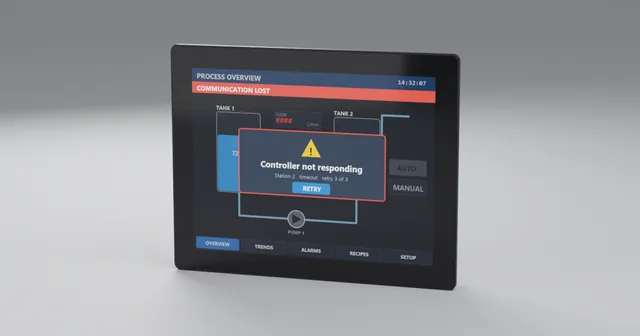
Yes, an HMI simulator can talk to a PLC simulator, but only when both simulators expose an external communication endpoint of their own. A Sysmac Studio simulation that runs NX logic and brushless-axis motion flawlessly has proven the control model, not that an EtherNet/IP socket exists for a simulated panel to connect to. Same-brand pairs talk because the vendor built the bridge into one engineering environment; a mixed Omron-and-Weintek pair must behave as two real network nodes. Here is the endpoint rule, the ports that decide it, a two-direction proof test that takes seconds per direction, and the fallback when either simulator has no endpoint.
Can a simulated HMI talk to a simulated PLC at all? #
Only when both simulators expose an external communication endpoint of their own, because a simulation that runs entirely inside the engineering software offers no socket for the other side to connect to, and no success story about real hardware changes that.
Your real machine is an NX controller exchanging tags with a Weintek cMT panel over EtherNet/IP, and that architecture is well supported. Simulation is a separate question with a separate answer. Each simulator owns two independent capabilities: running the project, and listening where other software can reach it. A same-brand pair normally has both by design, so the habit of assuming them carries over — wrongly — to mixed pairs. Until a bidirectional test passes, treat simulator-to-simulator communication as unverified for this combination, no matter how well each simulator performs alone. The general version of this trap is laid out in Why HMI simulation cannot talk to a simulated PLC.
Why does my PLC simulation run fine but the HMI cannot connect? #
Because executing the program is a different capability from listening on the network: the simulated NX can process logic and brushless and fixed-speed axis motion entirely in-process, with nothing bound to the ports an EtherNet/IP driver needs to open a session.
In the real machine, the panel exchanges tag data with the controller through tag data links over EtherNet/IP, the connections you configure in Sysmac Studio's network settings. The simulator executes those same programs without ever opening a socket, because the traffic never leaves the process as packets. That is also why motion quality says nothing here: an axis can home, jog and gear perfectly while no Ethernet frame is sent or received. The natural assumption — it simulates, so the panel will talk to it — fails at exactly this point, which is why the check below is a socket check, not a simulation-quality check.
Why do same-brand simulator pairs talk while mixed brands struggle? #
Same-brand pairs talk because the vendor connects its own HMI and PLC simulators inside one engineering environment, sharing variables without the wire protocol; a mixed pair like Omron plus Weintek has no such bridge, so each side must expose and speak the real protocol.
That is why brand-matched simulation feels effortless and cross-brand feels hard, and why an HMI terminal is not compatible with a PLC by brand alone — the driver and the endpoint decide, not the badge on the front. A reported success pairing a real Siemens controller with a simulated Weintek panel fits the rule: one side was a real network node, so only the HMI side needed a working simulation path. Taken at face value, that report still proves nothing about two simulated endpoints, and nothing about Omron. Weintek's EasyBuilder Pro ships with more than 400 PLC drivers, so driver availability is not the bottleneck here; the endpoint is.
What must a PLC simulator expose before an HMI driver can connect? #
An addressable EtherNet/IP endpoint: the ODVA standard carries CIP traffic over ordinary Ethernet, with explicit messages on TCP port 44818 and implicit I/O connections on UDP port 2222, and the simulated controller must listen on those ports at an address your driver can target.
That listening state is the whole decision. On the PC running the Sysmac Studio simulation, run netstat -an | findstr 44818: a line such as TCP 0.0.0.0:44818 0.0.0.0:0 LISTENING means an external endpoint exists and the tag test is worth running. No output means the simulator is in-process only; no driver setting repairs that, and the all-software link is impossible on that setup. Check the implicit port the same way, because some drivers read with explicit messages while tag-based I/O needs implicit connections. The Sysmac documentation summaries describe tag data link configuration but do not state that the simulation binds these ports, so let the socket check decide instead of an assumption.
Does the Weintek simulator run its Omron EtherNet/IP driver? #
Treat it as unproven until the simulator itself shows it: start the EasyBuilder Pro simulation with the project's Omron NJ/NX EtherNet/IP driver and confirm it attempts the configured address, because driver support in the editor does not guarantee identical behavior in simulation.
For the physical panel this combination is documented: Weintek publishes a dedicated connection guide for Omron NJ/NX controllers over EtherNet/IP, and its settings are the baseline for your tag layout and driver configuration. The simulation question is narrower — whether the native simulator executes that driver against an external address, or confines the project to internal sample data. The vendor's simulation notes for your specific driver decide where they speak; where they are silent, the two-direction test below decides empirically. If the simulator will not run the driver at all, skip straight to the fallback, because no amount of retrying revives a driver the simulator does not support.
How do I test an HMI simulator against a PLC simulator? #
Exchange one harmless BOOL in both directions and demand 40 of 40 updates — 20 writes from the simulated panel into the simulated controller and 20 writes back — at 500 ms spacing, which makes each direction take 10 s.
Worked example, with illustrative tag names rather than vendor syntax:
- In the simulated NX project, create
HMI_TO_PLCandPLC_TO_HMIas BOOL variables with an initial value FALSE, plus a DINT counterWRITE_COUNTthat increments on each edge, rising or falling, ofHMI_TO_PLC. - In the panel project, add a toggle button on
HMI_TO_PLCand a lamp onPLC_TO_HMI, and point the Omron EtherNet/IP driver at the address the simulation exposes, for example 192.168.1.50 on an isolated bench subnet. - Toggle from the panel side 20 times, one write every 500 ms: 20 × 0.5 s = 10 s of writing. Read the counter at the end — a final value of 20 proves all 20 changes arrived, even if you watched only the finish.
- Change
PLC_TO_HMI20 times between TRUE and FALSE from the programming software's online view and require the panel lamp to follow every change. - Once during the run, close and reopen the panel simulator and confirm the driver reconnects by itself.
A pass is 40 of 40 updates with the counter at 20: the all-software path is real, and you can develop screens against it. Any missing update or driver timeout fails the path — move to the fallback. Keep the entire test on an isolated bench network with tags the real program never uses, because an unproven simulation path must never sit between an operator and a running machine.
What works when one simulator has no external endpoint? #
Drop the all-software link and put one real device in the loop: run the panel simulator against a live controller, or bench a physical panel against the simulated controller, because a working control simulation with no data path validates nothing about the HMI.
Take the case that matches your gap:
- Sysmac Studio simulation has no listening ports: develop and test the whole panel project against a physical NX on the bench; the method in Testing HMI Simulation Against a Live PLC covers exactly this, and Sysmac Studio keeps doing logic and motion verification in parallel.
- Panel simulator refuses the Omron driver: bench the physical cMT against the simulated controller, which is only possible when the socket check showed the ports listening; otherwise both sides run physical.
- Both endpoints exist but the test fails: the architecture is fine and the fault is addressing, data type or driver configuration, so correct the driver target and rerun the same test.
The S7 world makes this split explicit: classic PLCSIM shares no endpoint with outside software, while PLCSIM Advanced simulates a node on a virtual adapter that external applications connect to — and Why an online simulator cannot reach a simulated S7 PLC endpoint walks through that wall from the Siemens side.
Which setup should this NX and cMT project use? #
Keep NX controller plus cMT panel over EtherNet/IP as the target architecture, spend one short bench session on the two-direction proof before writing screens, and if it fails, split development: panel against a live controller, controller logic and motion in Sysmac Studio.
Three decisions follow from the test:
- Pass at 40 of 40: develop and validate the HMI fully in software, then commission on the physical panel before startup, because simulated timing never matches a machine network carrying the rest of the cell.
- No listening ports on the simulation: the all-software route is closed for this pair; use the live-controller bench route above.
- Driver will not simulate: bring the physical panel forward in the schedule and treat the simulation as controller-side only.
One last practical note: keep the simulation tags and addresses identical to the physical tag data link design, so a passing simulation hands over to the real panel without retagging. Motion verification in simulation is genuinely strong — that capability works — it simply answers a different question than communication, and only the socket check and the two-direction test answer the one your panel depends on.
Questions asked
Where do the two simulators run when I test this on one engineering PC?
Both run on the same PC, so the test traffic never leaves it. Point the panel project's driver at the address the simulated controller binds on that PC, for example 192.168.1.50 on an isolated test subnet, and use tags no other program touches. The socket check in the article tells you whether such an address exists before you build anything.
Does a simulator pass guarantee the physical panel will behave the same?
No. A pass proves tag path, driver addressing and data types. The physical panel adds its own boot behavior, network load and firmware, so update timing will differ once the panel shares the cell network with everything else. Use the simulation to shorten development, then commission on the real panel before startup.
The simulator connects, but the values never change — which side is wrong?
Split the fault with one observation: watch the same tag in the programming software's online view while pressing the panel button. If the tag changes there but not on the panel, the panel side is polling a wrong address or data type; if it changes nowhere, the write never crossed the endpoint at all.
Is the endpoint rule specific to Omron and Weintek?
No. Every simulator pair follows the same rule: the link exists only when both sides expose real network endpoints, whatever the brands. Brand matching matters only because same-vendor tooling often builds the bridge internally, which is a convenience of that engineering environment rather than a property of the protocol itself.