Explainer
Where tag count matters in a WinCC flexible license choice
Short answer
In WinCC flexible, tag count determines the license only when a PC executes the HMI runtime, where the licensed PowerTag count applies. An installation with an engineering PC and touch panels only sizes tags against the panel itself, and a service-pack move such as 2008 SP1 to SP2 is an installation update, not a tag-license purchase.
On this page
In WinCC flexible, tag count drives the license only in one case: when a PC executes the HMI runtime, the runtime entitlement is sized in PowerTags. If your installation is an engineering PC that configures and transfers projects to touch panels — no PC runtime anywhere — then the number of tags in the project decides nothing about which license to buy. And a move such as WinCC flexible 2008 SP1 to SP2 is a service-pack installation, not a purchase that changes a tag entitlement. The deciding fact is what device runs the project, not how many tags it holds.
What the two tag counts actually are #
Two different quantities are easy to confuse here, and they answer different questions.
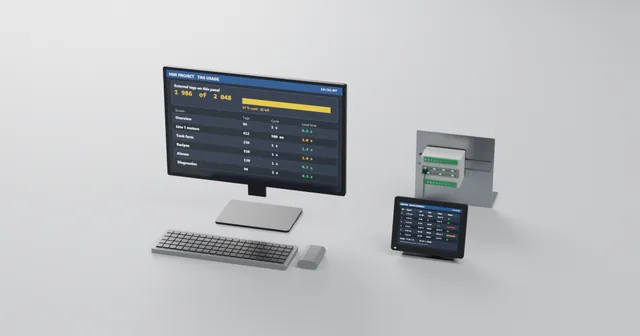
The configured tag count is project content: every variable the HMI project defines, whether it reads controller data or holds a value internal to the HMI. You read it from the project — the tag editor lists the configured tags, and compiling the project reports its tag usage against the selected target. This number matters when you check whether the project fits a panel.
A PowerTag is a licensing quantity for PC Runtime. The runtime entitlement on a PC is sold in tiers of licensed tags, and the license terms for that runtime define which configured variables count toward the tier. This number matters when a PC presents the operator interface and you must buy enough licensed capacity for its tag usage.
A project's total configured tags and its licensed PowerTag requirement therefore answer different questions. Counting rows in the tag editor without applying the runtime counting rules produces the wrong purchasing quantity — sometimes a whole tier too large.
Who needs PowerTag sizing and who does not #
Size PowerTags only when a PC runs the HMI application. That covers a panel PC or workstation executing the runtime while operators work at it; that PC needs a runtime entitlement whose licensed tag count covers its project. If a PowerTags over-limit message appears in that kind of deployment, the fix is the license tier, and the way the limit presents itself is described in the article on the too many PowerTags error in WinCC RT Advanced.
Do not size PowerTags when the runtime target is a panel. An OP177, MP277 or comparable touch panel executes the project within its own hardware and system software, and its capacity comes from the panel's published limits, not from any PC runtime tier. Panel capacity messages are device diagnostics; on some older panels the same over-limit wording appears, and the article on the too many PowerTags configured error on a Siemens TP270 walks through that panel-side case.
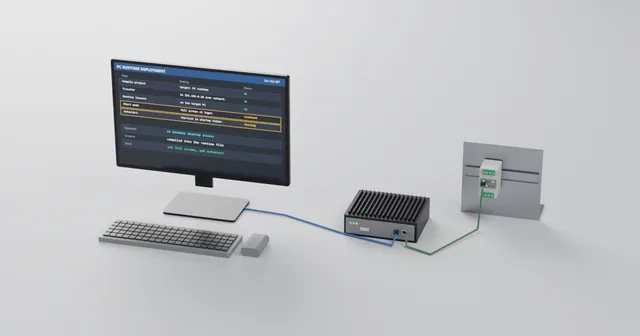
The engineering station is the third device, and installing engineering software on it does not make it a runtime target. The PC you use to create, configure and transfer the project needs a valid engineering entitlement for the release you are running — nothing sized in tags.
If a PC somewhere in the installation does run a runtime, license that application separately, sized to its own project. Its requirement never becomes the licensing requirement for every panel project maintained on the same engineering station.
A worked decision: 2008 SP1 to SP2 on an engineering PC with panels #
Inputs and where each comes from:
- Installed software: WinCC flexible 2008 SP1, on the engineering PC. Read the exact release and service-pack level from the product information view of the engineering software.
- Destination: WinCC flexible 2008 SP2, the same release at a later service pack. Stated as the planned upgrade in this case.
- Runtime targets: touch panels only, no PC runtime. Confirmed by checking which device each project targets and that no PC on site executes an HMI application.
- Tag inventory: whatever the projects hold — irrelevant to this purchase.
The rule: a service pack updates a software release; a licensed upgrade changes an entitlement under the manufacturer's licensing terms. Match the purchase to the change actually being made.
The decision path, written out:
- The change is within the 2008 release, SP1 to SP2. That is a service-pack installation. Check the service pack's installation prerequisites — base package and prior service-pack level — and confirm your installed base qualifies for that update path.
- The runtime targets are panels, so no PowerTag tier enters the decision at any step. The tag count never becomes a purchase quantity here.
- What must be valid is the engineering entitlement for WinCC flexible 2008 on that station. Confirm the exact product and license description installed, and use that exact description when confirming the update path with Siemens or an authorized distributor.
The decision: for this installation, buy no tag license. The purchase, if any, is the service-pack update path that matches the installed base package; the tag count is a project-maintenance figure, not a licensing one.
Panel capacity is a separate check #
Purchasing a different engineering license does not increase what an installed panel can hold. If compilation reports a resource or capacity message against the panel, resolve the limit the diagnostic names: compare the project's compiled tag and resource usage with the target panel's published limits for that exact device. Never answer a panel diagnostic by buying a runtime tag tier, and never answer a PC runtime license message by swapping panels. Change the thing the message is about.
Keep this distinction through the whole migration: licensing limit means the entitlement, device limit means the panel. Before opening a project with changed engineering software, archive a recoverable copy of it, record the engineering version, the license description and the panel designations, and compile the working copy afterward against the unchanged target device. Compilation completing without unresolved errors confirms the update landed correctly; any conversion message gets investigated on its own text.
The decision in one line per case #
- Engineering PC plus touch panels, no PC runtime: no PowerTag sizing. Size the project against the panel's own limits; license the engineering station for the release it runs.
- PC executes the HMI runtime: buy a runtime entitlement with a PowerTag count covering that project's licensed tag usage, applying the runtime's documented counting rules.
- Service-pack move within the same release: an installation update with prerequisites to verify, not a tag-license purchase.
- Release or edition change: check the corresponding upgrade eligibility against the exact installed license description.
The WinCC flexible 2008 runtime itself is documented in the manufacturer's runtime manual, which describes commissioning and operating a runtime project on a PC — the document to consult when a deployment does add PC runtime and you need to confirm how the runtime is installed and operated.
Questions asked
Where do I see how many tags a WinCC flexible project has configured?
The tag editor lists every tag in the project, and the project's compilation and system information views report configured tag usage. For a definitive capacity check, compile against the selected target device: the compiler flags a project whose tag usage exceeds what that panel supports. Count what the compiler counts, not every line you have typed in the tag table.
Do internal tags count toward a PowerTag license?
The PowerTag concept applies to PC Runtime licensing, and the applicable license documentation defines which variables count toward the tier you buy. Check the counting rules in the license terms for the runtime you are actually licensing before you order a tier, because the licensed quantity and the raw number of rows in the tag table are not the same question.
I am moving from WinCC flexible 2008 SP1 to SP2. Do I need a new license?
A service-pack installation within the same release is an installation update, not a purchase that changes your tag entitlement. Check the service pack's stated installation prerequisites and confirm your installed base package qualifies for that update path. What you must already hold valid is the engineering entitlement for WinCC flexible itself; SP2 does not add runtime tag capacity to buy.
What if my PC also runs an HMI runtime somewhere else in the plant?
Then that PC application is licensed on its own: it needs a runtime entitlement with a PowerTag count sized to the tags its project actually uses. That requirement stays separate from the panel projects you maintain on the same engineering station. One PC runtime license never becomes the licensing basis for every other HMI project the engineering PC touches.