Troubleshooting
Why a CLICK PLC rejects one in three HMI button writes
Short answer
Neither EasyBuilder Pro driver is the fault: both tested drivers reproduced the same failure, so individual Modbus TCP writes are going unserved past the HMI timeout while reads and retries succeed. Run a one-button project on the same hardware for 30 presses per driver, then let the failure count decide between fixing the full project's polling load and fixing the link or the PLC's reply time.
On this page
- Why does the HMI report a communication error on only some button presses?
- Is the EasyBuilder Pro driver the problem?
- What is actually failing when the retry always works?
- How do I build a one-button test that isolates the fault?
- How many button presses make the test decisive?
- What do I change if the one-button project runs clean?
- What do I check if the one-button project still fails?
- Questions asked
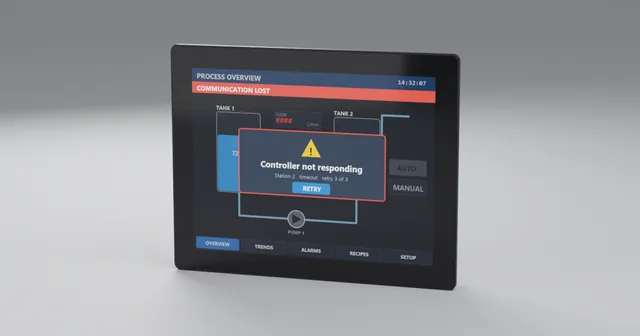
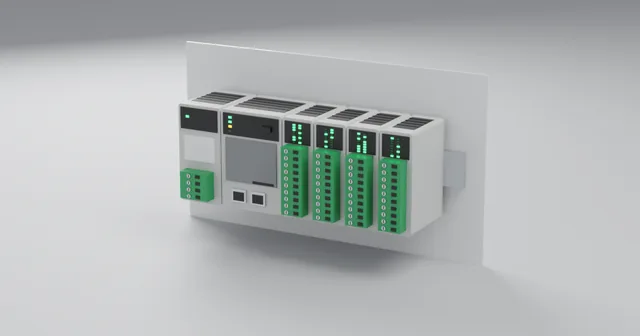
A Weintek cMT3072XHT running EasyBuilder Pro 6.08.01.442 writes to an AutomationDirect CLICK PLUS C2-01CPU-2 over a direct Ethernet cable, and roughly one button press in three raises a communication error that clears when the same button is pressed again. That pattern already rules out the usual suspects: every successful retry proves the addressing, the cable and the write permission, and swapping between the two Modbus TCP drivers changed nothing. What fails is a single write transaction that sometimes waits past the HMI's timeout. The path below isolates the fault with a one-button project and a counted press test, then commits to the repair each outcome calls for.
Why does the HMI report a communication error on only some button presses? #
Because an individual Modbus TCP write occasionally waits longer than the HMI's timeout allows, while everything permanent — the cable, the IP settings, the register mapping — is proven good by the retry that always succeeds. A hard fault never behaves this way: a wrong address or a broken conductor fails every press and takes the screen updates down with it. In the reported case the displayed values keep updating and only the button writes fault, so requests are flowing both ways and the write path itself is sound; what varies is whether each write's reply arrives in time.
Before changing anything, capture the error text exactly as the HMI displays it. A no-response timeout and a Modbus exception reply are different faults with different fixes, and every test run below refers back to that text.
Is the EasyBuilder Pro driver the problem? #
No: the two drivers already tried, Automation Direct Modbus/TCP and Koyo Click V3 Modbus TCP, both established communication and both reproduced the same intermittent failure, so another driver swap only adds a variable. Driver selection lives in the System Parameter settings, and both entries ran the program well enough to prove their address translation works. The software is not too old for the PLC either: a CLICK Modbus TCP driver has been part of EasyBuilder Pro since V6.05.02.712, and the version in use, 6.08.01.442, is later. Decision: run the entire isolation on the first driver, repeat once on the second, and change nothing else between the two runs, so any difference belongs to the driver alone.
What is actually failing when the retry always works? #
The single transaction carrying that press: the request leaves on TCP port 502, the reply does not return inside the HMI's timeout window, and the HMI flags the press and releases the connection for the next attempt. Modbus TCP, per the messaging implementation guide published at modbus.org, carries one transaction at a time on a connection — the next request waits for the previous reply — so an HMI multiplexes its screen polling and its button writes onto one serialized stream, and a write queued behind a slow poll inherits that poll's delay. The C2-01CPU-2 serves those requests as a Modbus TCP server while running its own scan.
When the PLC program also uses the CPU as a Modbus client to other devices, those requests share the same Ethernet port ahead of the HMI's write; how a PLC runs two Modbus networks at the same time covers that sharing. Late reply, timeout, error popup — then the retry lands in a free window and succeeds. The realistic suspects, in order:
- Polling load: the full project's background readers — logging, recipe and history objects poll continuously regardless of which screen is open — saturating the connection ahead of each write.
- A timeout set close to the PLC's worst-case reply time, so ordinary scan jitter crosses it.
- A second client on the PLC, such as a programming laptop, another panel or a SCADA node; HMI Modbus timeout caused by a PLC master-slave conflict works through the same contention pattern.
- The PLC's own scan delaying replies; separating PLC scan time from real HMI communication faults gives the timing method that measures this contribution.
How do I build a one-button test that isolates the fault? #
Create a fresh EasyBuilder Pro project on the same cMT3072XHT with a single button that writes the same PLC destination the failing screens write, over the same cable to the same C2-01CPU-2.
- Start a new project, keep the HMI model and the PLC address details identical, and select the first of the two drivers in the System Parameter settings.
- Add one button that writes the same destination the production screens write. Run this with the machine in a safe state, because the button writes live PLC memory and an isolation test is no place to jog real outputs.
- Add nothing else — no displays, no alarms, no background objects — so the connection carries only the button's traffic.
- Press the button 30 times at a steady pace, for example once every two seconds, acknowledging each error and noting its text.
- Record the driver name, the press count and the failure count for that run.
- Change only the driver to the second of the two and repeat steps 4 and 5 unchanged.
How many button presses make the test decisive? #
Thirty per run: at the reported failure rate that is ten expected failures, and a clean run happens by chance with a probability near 5 × 10⁻⁶, roughly one chance in 190,000. The arithmetic, assuming each press fails independently at the reported rate of one in three:
- Failure probability per press: 1/3; success probability: 2/3.
- Expected failures in 30 presses: 30 × 1/3 = 10.
- Probability of a clean run while the fault is still present: (2/3)^30 = 1,073,741,824 / 205,891,132,094,649 ≈ 5.2 × 10⁻⁶, about 1 in 190,000.
A clean run therefore exonerates the bare link beyond reasonable doubt, and a run near ten failures means the fault survives the minimal project. One assumption to watch: the math treats presses as independent, so if the errors cluster — a burst, then a long clean stretch — extend the run and judge it by the longest clean stretch, not the average.
What do I change if the one-button project runs clean? #
Rebuild toward the full project in stages until the error returns, because a clean minimal run proves the cable, the PLC, the driver and the addressing, and convicts the full project's communication load. Halve the distance each stage: bring in half the full project's screens and objects, rerun the counted presses, then halve again; the stage where the error reappears names the load. Put the continuous background readers into the first stage back, since they generate the heaviest and least visible traffic. Once the load is named, the fixes in order:
- Slow the update interval of the heavy readers so the connection has free time between their read blocks.
- Split very large block reads into smaller ones so a write never queues behind one long transaction.
- Widen the timeout in the PLC connection settings until it covers the worst reply time you measured.
Decision: keep whichever driver produced the cleaner loaded run, fix the load or the timeout, and replace no hardware.
What do I check if the one-button project still fails? #
With the project reduced to one button, the remaining suspects are the physical path, other clients on the PLC, and the reply time of the C2-01CPU-2 itself, in that order. Work the list without skipping:
- Write down the exact error text and the driver name for each failed run before changing anything; those fields are the evidence every later step refers back to.
- Replace the Ethernet cable, and if any switch sits between the two units, bypass it with a direct cable for one run. Another HMI timing out to a CLICK PLC is walked through in fixing a C-more CM5 timeout 1026 to a CLICK PLC, and its cable and timeout checks apply here.
- Disconnect every other Ethernet client of the PLC — programming laptop, second panel, SCADA node — and rerun the same press count.
- Open the PLC connection settings, note the current timeout, set it to double and rerun: failures dropping sharply mean the replies are late, so lighten the PLC-side communication load or keep the longer timeout; failures barely moving mean requests or replies are being lost, so the cable and connectors come first.
- If the PLC program runs the CPU as a Modbus client, disable those client tasks for one run and compare the failure counts.
Decision: identical failures on both drivers, over a direct cable, with nothing else connected and a doubled timeout, convict the PLC's server response. Package the error texts, both drivers' press counts and the timeout result and put that record in front of the PLC vendor's support — that package, not the error popup, is what identifies the fault.
Questions asked
What port does Modbus TCP use between the HMI and the CLICK PLC?
TCP port 502, the number given in the Modbus TCP/IP connection guide published for the HMI driver. On the reported direct cable no router or firewall sits in the path, so port blocking cannot explain those errors; if you later add a switch with VLANs, a cellular gateway or address translation between the two units, port 502 must be permitted in both directions or every press fails, not just some.
Could a duplicate IP address cause this error pattern?
Yes, whenever more than two devices share the segment. Two hosts answering to the PLC's address split the replies, so some requests get answered by the wrong device and time out while the next attempt wins the race, which looks identical to this intermittent signature. On a direct cable between the HMI and the PLC a duplicate is nearly impossible; through a switch, unplug everything else, or give the PLC a fresh address and update the HMI's connection settings, then rerun the test.
Can the CLICK CPU act as both a Modbus client and a server?
Yes. The C2-01CPU-2 datasheet lists the CPU as Modbus TCP client and server and as Modbus RTU master and slave up to 115.2k baud. That matters here because client polling started by the PLC program and the HMI's requests share the same communication handling, so every client transaction the program runs is one more job ahead of the HMI's write in the queue.
Can the isolation test run on a bench instead of on the machine?
Yes, and it is the safer first run. The C2-01CPU-2 requires a 24 VDC supply, so power it on the bench with no I/O connected, cable it to the HMI and run the presses there. A bench fault with nothing else on the wire is the strongest isolation result you can get; if the bench runs clean, move the pair back one variable at a time, the machine's cable first and then the machine's power, and rerun after each move.