Explainer
Why a WinCC I/O Field Page Number Needs a Valid Screen Map
Short answer
A page number typed into a WinCC I/O Field is a request to change screens, not the change itself. Validate the entry against a fixed map of numbered screens that actually exist in the project, and call the screen-change function only after the whole-number, range and map checks pass. Blank, fractional or unmapped entries then keep the current screen displayed and raise a visible rejection instead of opening nothing or the wrong display.
On this page
- The typed number is a request, the map is the authority
- Keep the decision in the HMI unless the PLC must authorize
- Build the fixed screen map
- Make the entry a checked whole number
- Worked example: entering 1 opens page1 in a three-screen project
- Fire one transition per confirmed entry
- Bench checks before release
- Questions asked
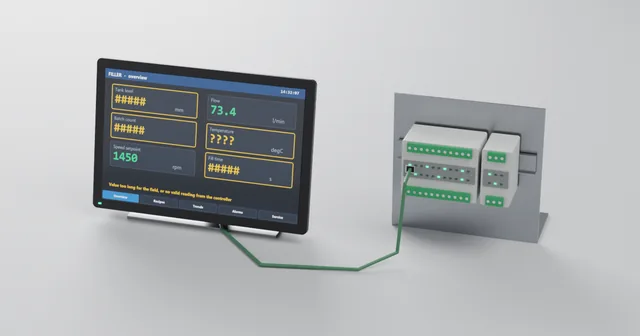
A page number typed into a WinCC I/O Field is a request for a screen change, not the change itself. The reliable design gives every selectable screen one number, keeps the number-to-name map inside the project, tests each entry against that map, and calls the screen-change function only when the entry passes. A blank, fractional or unmapped entry then leaves the current screen displayed and sets a visible rejection state, so the operator can never call a screen name the project does not contain. This article explains where the numbers live, how the entry event fires, what changes when the PLC must approve the destination, and how to bench-test the whole path before release.
The typed number is a request, the map is the authority #
Runtime opens screens by their configured names. A typed number means nothing to runtime until your project defines which name each number selects, so the map is not documentation decoration — it is the control boundary. An entry can select only a destination the project engineer listed, and every value outside the map is a rejection by construction rather than an error to be caught later.
In WinCC Unified projects, each screen object carries a number under its properties, in the Miscellaneous group as the Screen Number entry, and screens are created with the number 0 until you set one. Two screens left at that default answer to the same number, which is exactly the collision the map check has to catch. In classic WinCC projects, where screens are pictures addressed by name, the number exists nowhere except your map — a fixed table is mandatory there, not optional.
A calculated name, such as a text prefix glued to the entered number, is weaker than a fixed map: it can call retired or never-created screens and ties navigation behavior to a naming convention. The map also lets you rename a screen, reserve numbers or reorder destinations without changing what operators type.
Keep the decision in the HMI unless the PLC must authorize #
Navigation between screens is an operator-station function. Keep the selector internal to the station when it serves only local display changes; the selector then works even while the controller link is down. Route the request through the PLC only when control logic must approve the destination, several stations must share one navigation state, or the request must be recorded as process data. In that design, define two values — a requested page and an approved page — and let the station change screens only after the approved value matches a map entry. When the link is down, keep the current screen instead of guessing an approval. When the trigger genuinely belongs in the controller, the PLC-side mechanics are covered in Configure PLC Screen Changes by Tag Event or Job Mailbox in WinCC.
One boundary stands regardless of the design: never use a process setpoint as the navigation request. A page command and a control value have different owners, validation and failure behavior, and sharing one tag turns an operator's display request into a process write.
Build the fixed screen map #
- List every screen operators are allowed to open. Maintenance, template and engineering screens stay off the map.
- Assign each listed screen one unique whole number, and record the lowest and highest assigned numbers next to the selector configuration.
- Point each number at the exact existing screen name, spelling included — the name is what runtime opens.
- Deliberately unused numbers stay unused; the map lists only real destinations.
For the three-screen example this article works with, the map reads:
| Entered number | Mapped screen name | Runtime result |
|---|---|---|
| 1 | page1 | Opens page1 |
| 2 | page2 | Opens page2 |
| 3 | page3 | Opens page3 |
| Any other value | none | Current screen stays, rejection indicator set |
The commissioning rule is strict: every approved integer resolves to exactly one existing screen, and every unapproved integer resolves to none. Duplicate numbers or a mapped name that does not exist in the project block release until they are fixed.
Make the entry a checked whole number #
Configure the I/O Field as numeric input with a whole-number format where your installed version exposes the setting; a field that accepts free text will happily store entries the runtime cannot interpret as a screen. Restrict at the field where you can, then repeat the check in the validation path, because the script remains the final authority. The engineering tool itself sets the precedent for field-level rejection: a related live case shows why a WinCC flexible 2008 I/O field rejects fractional timer values at entry time.
Bind validation to the single event that marks a confirmed entry. In TIA Portal projects that is the Value Change event of the linked tag, reached through the tag's Properties under Events — the path used in the documented screen-change-by-tag configuration, where an example tag carries the screen number into the event. In classic projects it is the input-confirmed event of the I/O field itself. Evaluating on every keystroke produces half-entered requests; evaluating once per confirmed entry produces one request per operator action.
Worked example: entering 1 opens page1 in a three-screen project #
The inputs: three process screens named page1, page2 and page3 — the example naming for the request behind this article, where typing 1 must bring up page1. The assigned numbers are 1 through 3, so the highest assigned number is 3. The test entries are 1, 2.5, 4 and an empty entry.
The rule in words: accept an entry only when it is a whole number (it equals its truncated value), it lies between 1 and the highest assigned number inclusive, and it has a map row whose screen name exists in the project. Only a passing entry reaches the screen-change call, and only with the mapped name. Any failed check keeps the current screen and sets the rejection indicator.
The arithmetic, check by check:
- Entry 1: the truncated value is 1, and 1 equals 1, so the whole-number test passes; 1 sits between 1 and the highest assigned number; map row 1 points at page1. All three pass — open page1.
- Entry 2.5: the truncated value is 2, and 2 does not equal 2.5 — fail at the first test, no screen change.
- Entry 4: a whole number, but 4 is above the highest assigned number — fail at the range test.
- Empty entry: no numeric value at all — fail before the tests run.
The result: entries 1, 2 and 3 each open exactly one screen; 2.5, 4 and the empty entry each leave the current screen displayed with the rejection indicator set.
The decision: with three screens mapped, no entry outside 1 through 3 can reach the screen-change call, and typing 1 always opens page1 because the map, not the raw number, selects the name. Adding a fourth screen means one new map row and raising the highest assigned number by one — no change to what operators type.
Fire one transition per confirmed entry #
The validation path is short enough to read in one pass:
pageRequest = confirmed entry from the I/O field
If pageRequest is empty Then reject
If pageRequest does not equal its truncated value Then reject
If pageRequest is above the highest assigned number Then reject
If the map has no row for pageRequest Then reject
Open the screen named in that map row
Clear the rejection indicator and the request value
The names above are illustrative; declare the request value and the map in whatever scripting interface your WinCC version exposes. Three details keep the path honest. First, validate before constructing any destination: the tests run on the number, and only a passing number is translated to a name, so a rejected entry never reaches the screen-change call. Second, clear or acknowledge the request after a successful transition, because an event that survives the screen change can refire when the source screen becomes active again and reopen the destination without a new entry. Third, give rejection a visible state — a status bit or text field next to the selector — so a blank entry is not mistaken for a slow screen.
The proof is behavioral: one confirmed entry produces exactly one transition, and holding focus, refreshing the display or returning to the source screen never repeats the command without a new operator entry.
Bench checks before release #
- Enter each assigned number in turn; the exact mapped screen must open, nothing else.
- Enter the highest assigned number plus one; the current screen must stay and the rejection indicator must show.
- Enter a fractional value; the current screen must stay.
- Clear the field and confirm; the current screen must stay, because a blank entry must never trigger a change.
- In a WinCC Unified project, leave two screens at the default screen number of 0 and confirm the map check refuses the collision.
- Refresh the display and return to the source screen after a successful change; the destination must not reopen by itself.
- If the PLC approves destinations, drop the link mid-request; the current screen must stay until the approved value matches a map entry again.
Run these the way Testing HMI Simulation Against a Live PLC sets up simulation against real controller data, so every rejection path is exercised against verified tags rather than guessed values.
Questions asked
Should a rejected page entry be cleared automatically or left on screen?
Leave it displayed and clear it only through an acknowledge action or after a successful transition. A field that wipes itself looks like the station ignored the operator, and a stale number sitting in the entry field invites a repeated confirm. Keep the rejection indicator and the typed value visible together until the operator corrects the entry or the mapped screen opens.
Where is the start screen configured in classic WinCC projects?
In WinCC Explorer, open the computer's properties, switch to the Graphics Runtime tab, and set the Start Picture field to the screen runtime should open first. The start screen is separate from page selection: the operator's typed number only switches between screens that already exist in the mapped project.
How do I show the operator which screen is currently open?
Bind a read-only display field to the screen name the runtime is currently showing; Siemens support discussions treat exactly this as a common I/O Field request on panel projects. Pairing the current-name display with the page selector tells the operator immediately whether the last entry took effect or was rejected.
Can a fractional entry still reach the screen change?
Yes, if the entry is converted to a whole number before storage: 2.5 arrives as 3, passes every later test and opens the wrong screen without any alarm. Set the I/O Field's input format to a whole-number type where your installed version exposes it, and keep the truncated-value comparison in the validation path as the final authority.