Troubleshooting
WinCC Flexible 2007 runtime start skipped by compiler errors
Short answer
WinCC flexible 2007 skips the runtime start when the compile ahead of it stops early, which is why the success line never appears in the output window. Run Options > Delete Temporary Files, compile again, and start the runtime simulator. If the compile still ends without the success line, save the project into a fresh local folder with File > Save As, reopen it there, and compile again.
On this page
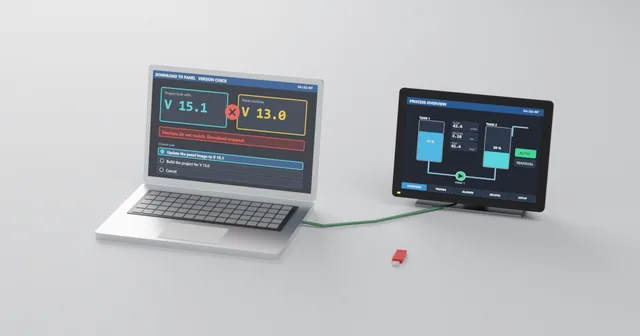
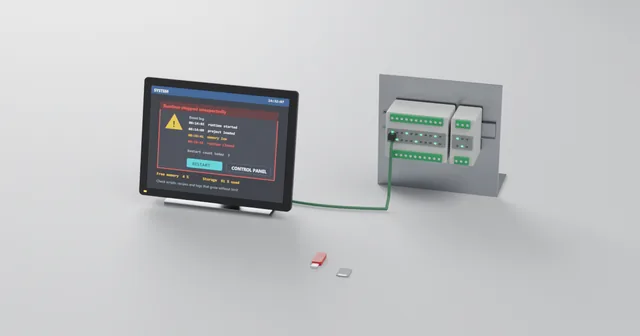
WinCC flexible 2007 skips the runtime start because the compile that runs ahead of it stops early, not because the runtime device is faulty. The output window tells you so: it shows "The runtime start was skipped because of compiler errors." and never shows the success message or the warnings-and-errors summary that a completed compile gives. Run Options > Delete Temporary Files, let it finish, compile again and start the runtime simulator. If the compile still ends without the success line, save the project into a fresh folder with File > Save As, reopen it from the new folder and compile again — that is the recovery that worked when repeated cleanup did not. There is no Rebuild project command in 2007 to force this in one step; 2005 had one and 2007 dropped it, so cleanup plus a full compile is your clean rebuild.
Why the start is skipped and the success line never appears #
Starting the runtime simulator triggers a compile first, and the simulator launches only after a compile the tool is satisfied with. That is why the two symptoms travel together: the skip message about compiler errors, and the missing success message and warnings-and-errors summary that a finished compile prints. The compile is the stage that failed, and the start was refused on top of it; nothing is wrong with the runtime device itself.
The usual cause is generated build output that no longer matches the project data — after an interrupted compile, an application killed mid-save, or a project folder copied with old output still in it. In WinCC flexible 2005 you could answer that with the Rebuild project command, which discarded every generated file and built again from source. Version 2007 removed that command, which is exactly why you cannot find it, so the clean rebuild has to be provoked another way: clear the temporary files, then compile.
The fix: delete temporary files, then compile again #
- Copy the project folder in Windows first so you have an untouched fallback.
- Choose
Options > Delete Temporary Filesin the WinCC flexible menu and let it run to the end. Do not interrupt it: a cleanup cut short leaves the project in a worse state than the stale files did. - Compile the project again and read the output window to the last line.
- A compile that ends with the success message and the warnings-and-errors summary is a clean build. Start the runtime simulator; it should come up on the configured start screen.
- If the success line is still missing, run the cleanup once more and compile again. A second compile without the success line is your signal that the cache is not the whole problem — use the Save As recovery below.
What the command buys you: deleting the temporary files forces the next compile to regenerate every build file from the project data. That full regeneration is what the retired Rebuild project command used to do, which is why cleanup plus a compile is the 2007 equivalent.
When cleanup is not enough: Save As into a fresh folder #
In the reported case, deleting the temporary files was tried repeatedly without success, and saving the project into a new folder fixed it. That is the order of escalation: use File > Save As to write the project into a new, empty folder on the local disk — for example C:\HMI\Line1_rebuild — close WinCC flexible, reopen the project from the new folder and compile again. The fresh folder leaves behind whatever stale or locked file in the old location was stopping the build, and the saved project is a consistent set of files rather than a folder that has accumulated over months.
Two cautions. A Save As copy has failure modes of its own — why a WinCC flexible Save As copy fails while the original builds covers that case and its fix. And move the project with Save As, not by copying the folder in Explorer: a manual copy can miss files or carry stale ones along, the same trap that catches projects moved by version-control tools — why an HMI project fails after a Git clone shows that recovery.
Working the fix on a 2007 Advanced project on a runtime PC #
The inputs, each with its source:
- Tool and version: WinCC flexible 2007 Advanced — the reported case.
- Target: a runtime device, a PC with WinCC flexible runtime installed — the reported target.
- Symptom 1: starting the simulator prints "The runtime start was skipped because of compiler errors." in the output window.
- Symptom 2: the compile shows neither a success message nor a warnings-and-errors summary.
- Commands available in 2007:
Options > Delete Temporary FilesandFile > Save As; the Rebuild project command that 2005 offered does not exist here.
The rule in words: the start command compiles first and launches the simulator only after a compile that reaches its success line, so a skipped start with no success line names the compile as the failed stage. One cleanup plus one full compile is one pass, and the pass count is what decides.
The pass count, written out:
- Pass 1: 1 cleanup + 1 compile. Success line appears: start the simulator, done. Missing: failed-pass count = 1.
- Pass 2: 1 more cleanup + 1 compile. Success line missing: failed-pass count = 2, and 2 failed passes is the threshold — stop cleaning.
- Pass 3, the deciding pass:
File > Save Asinto a fresh local folder, reopen from there, compile. Success line appears: fixed. Still missing: the cache is exonerated and the project data itself is damaged.
Result: in the reported case the cleanup passes kept failing — the temporary files were deleted more than once without a success line ever appearing — and the deciding pass recovered the project: saved into a new folder, it compiled and the runtime ran without errors.
The decision: two failed cleanup passes means move the project. A compile that still ends without the success line in the new folder means restore the last known-good copy of the project folder and re-enter the edits made since; at that point no amount of cache cleaning will help.
How you know the fix took #
- The compile output ends with the success message and the warnings-and-errors summary appears — 0 errors on a clean pass, and every warning one you have judged.
- The runtime simulator starts and opens the configured start screen.
- A test tag toggles and a screen change works before production relies on it.
Keep it from coming back #
- Compile after each block of edits rather than stacking a day of changes before the first build. A build you trust keeps the generated output in step with the source; when it drifts, edits stop reaching runtime, as explained in why WinCC flexible edits do not show in runtime.
- Never kill the application mid-save or mid-compile. An interrupted save can damage a project so that it closes on the next open — why WinCC flexible 2008 closes a project after an interrupted save documents that failure on 2008, and the habit that prevents it is the same on 2007.
Questions asked
Does the same fix apply to WinCC flexible 2008?
Yes. A 2008 project that skips the runtime start after a failed compile gets the same treatment: delete temporary files, compile again, and move the project to a fresh folder if the success line still never appears. One 2008 failure needs different handling: a project that closes right after an interrupted save is damaged rather than stale, and cleaning temporary files will not repair it.
Can I copy the project folder in Windows Explorer instead of using Save As?
Use Save As from inside WinCC flexible. The command writes a consistent set of project files into the new folder, while a manual copy can miss files or carry stale build output along; projects moved by plain file copies or version-control checkouts fail for that separate reason and need their own recovery.
Will Delete Temporary Files remove my screens, tags or scripts?
No. The command clears generated build files only; the project database with its screens, tags, texts and scripts stays untouched. Keep a copy of the project folder anyway, because the one way to make things worse is to interrupt the cleanup or the compile that follows it midway.
Why does the compile stop early without listing any error?
The output window simply ends before the success message and the warnings-and-errors summary appear, which is the signature of generated build files that no longer match the project data. It is not a license or connection fault: a missing runtime option announces itself with a demo-mode message once runtime is up, and an offline controller shows read errors on the live screens.