Explainer
Sharing one WinCC operator system across PCS 7 and turbine control
Short answer
Three turbines can be operated from any of three stations, but only through one of two supported architectures: the third turbine joins the existing PCS 7 operator system through a documented interface, or every workstation gets supported access to two separate operator applications. Matching S7-400 hardware and the WinCC name alone prove nothing.
On this page
- Can three operator stations control all three turbines from one system?
- Does matching S7-400 hardware and the WinCC name prove compatibility?
- What do the WinCC server, client and standalone roles actually do?
- How does the third turbine join the existing PCS 7 operator system?
- What if each turbine keeps its own operator application?
- How do you verify commands and data quality across both systems?
- Which architecture should you choose for your control room?
- Questions asked
Yes, three turbines can be controlled from any of three stations in one control room, and there are exactly two supported ways to get there. Either the third turbine joins the existing PCS 7 operator system through a documented interface, or every workstation gets supported access to two separate operator applications. Matching S7-400 hardware on both sides and the WinCC name on every screen decide nothing by themselves. This article gives you the decision path, the connection arithmetic and the acceptance tests that settle it.
Can three operator stations control all three turbines from one system? #
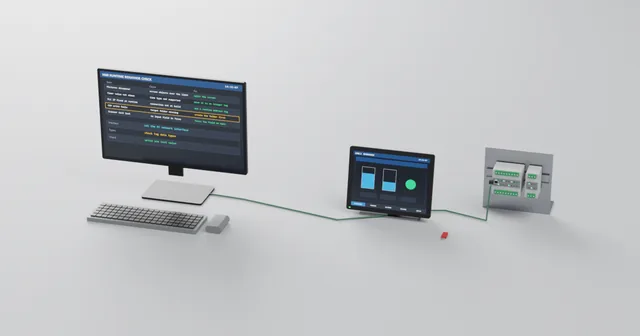
Yes: three stations can operate all three turbines, but only through one of two supported architectures — the third turbine joins the existing PCS 7 operator system through its documented interface, or every workstation is given supported access to two separate operator applications.
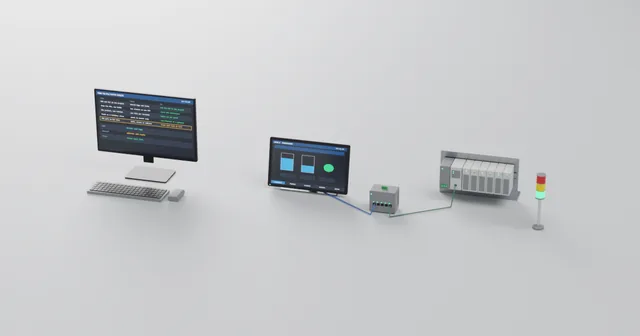
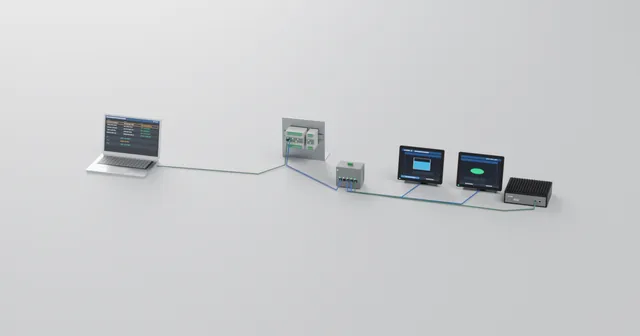
An operator system is not one WinCC project by definition. It is a defined set of station roles, software releases and licenses that together present the process and carry commands. The first architecture keeps everything in one operator system: one server, common navigation, a common alarm journal, and every turbine reachable from every seat. The second keeps the turbine's application separate and adds controlled access to it from the PCS 7 stations. Both satisfy the basic need. The first is simpler to operate; the second is the fallback when the turbine supplier cannot document an operator-system interface.
The architecture to refuse is three independently maintained copies of the displays and command logic. Every setpoint limit or alarm text change then lives in three places and diverges, and no one can say which copy is current.
Does matching S7-400 hardware and the WinCC name prove compatibility? #
No. Matching S7-400 hardware and the WinCC product name establish neither project compatibility nor interchangeable operator controls, because PCS 7 generates tags, alarms and operator objects from its control project while a separately engineered WinCC application carries its own connections, conventions and displays.
PCS 7 integrates controller engineering with the operator system, commonly abbreviated OS, and that integration can generate the operator-facing objects from the control project. A WinCC application delivered with a turbine package can use different drivers, tag naming, faceplates and command acknowledgement even when the controller is from the same CPU family. The turbine package's name on the order — TURLOOP here — does not identify the delivered controller software, its engineering dependencies or its HMI interface; those come from the supplier's delivery specification. The same trap exists for any HMI-to-PLC pairing, which is why the article on why an HMI terminal is not compatible with a PLC by brand alone treats a shared brand as the start of the check, never the result.
What do the WinCC server, client and standalone roles actually do? #
The WinCC server talks to the controllers over the process bus and supplies the clients with screens, process values, alarms, log data and reports; a client receives everything through that server; a standalone station runs its own project and its own controller connections.
Both the WinCC V7 client-server configuration guide and the TIA Portal WinCC multi-user documentation describe the server the same way: it handles the process bus communication with the system controllers and automatically supplies the clients with screens, process values, alarms, log data and reports. Before you add the third turbine, record which roles your two existing stations actually run. Two standalone stations behave very differently from one server with one client when you change the architecture.
Worked example, with illustrative numbers — not a documented limit. Take three controllers and three operator stations. With direct access from every station to every controller, each station needs a connection to each controller: 3 stations × 3 controllers = 9 controller connections, and each S7-400 carries 3 HMI connections. With one WinCC server, the server holds the 3 controller connections and each client connects only to the server: 3 + 3 = 6 links in total, and each controller carries 1 HMI connection regardless of how many stations you add.
That arithmetic shows the direction of the effect; the ceiling comes from your CPU's documented connection resources and the server's documented limits, so read both before you commit. If your S7-400 path mixes Ethernet and PROFIBUS, count those connections on the actual segments — the article on connecting an HMI to an S7-400 across Ethernet and PROFIBUS shows how the two paths split.
How does the third turbine join the existing PCS 7 operator system? #
It joins only when the turbine supplier documents an interface that your installed PCS 7 release can consume: OS-compatible tags, alarms and operator objects, matching software releases, and valid licenses on every station that will operate the turbine.
Work down this list before committing to that architecture:
- Record what is installed: the PCS 7 release, the WinCC version, the license inventory, the role of each existing station and the full connection list.
- Obtain the turbine's delivery specification: controller software, HMI interface, required releases and licenses.
- Confirm the supplier documents an operator-system interface, not just a set of screens that happen to run under WinCC.
- Assign a unique equipment identity to the new turbine, so reused display templates resolve to the new controller and never silently to an existing machine.
- Define the command interface: acceptance conditions, execution status, rejection reasons and feedback of the resulting operating state.
- Keep the supplier's sequencing and interlocks in the controller; integration changes presentation, not protection.
If any item fails — usually the release match or the missing interface document — you are in the second architecture, not in a workaround.
What if each turbine keeps its own operator application? #
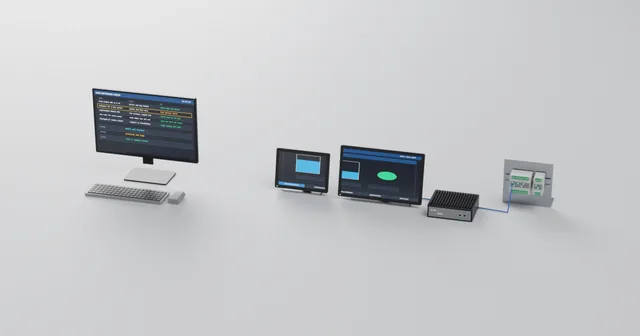
Then no project is merged: the two PCS 7 turbines keep their operator system, the new turbine keeps its own application, and every one of the three workstations receives supported access to both, with coordinated navigation and alarm presentation.
Supported access means each workstation is licensed and released for both applications in the exact versions installed — not one shared shortcut to a project copied between machines. Operators need an unambiguous rule for which application is in charge of which turbine, and significant alarms from the turbine application must stay visible while operators work in the PCS 7 screens. If the two systems must exchange process values rather than merely coexist, that exchange is an OPC server/client arrangement and the roles must be configured deliberately: the guide on configuring OPC server and client roles for DCS-to-SCADA architecture covers that split, and the failure modes of an OPC DA client against a third-party OPC server are exactly what you will meet at the bridge. Resolve duplicate tag and address names before the environments touch, so a shared name can never point two applications at different machines.
How do you verify commands and data quality across both systems? #
Prove it on an isolated bench with verified test tags before the turbine runs: a permitted command is accepted and acknowledged, the same command with its permissive absent is rejected with a clear indication, and a broken communication path shows values invalid rather than frozen.
Run four tests, in order:
- Send a permitted command through the documented interface. Expect acceptance, execution status and the resulting operating state returned to the seat that issued it.
- Remove the permissive and repeat. Expect rejection or inhibition with a clear operator indication and no actuation of any kind.
- Interrupt the communication path under an approved plan. Expect the displayed values to carry a bad-quality indication and command availability to follow the communication state, so no operator commands a turbine they cannot see.
- Restore the path. Expect values to return current, not to resume from the stale queue.
One safety line belongs here: turbine protection and interlocks live in the controller, and operator-system integration must never move them into workstation logic or screens.
Which architecture should you choose for your control room? #
Choose the single PCS 7 operator system when the turbine supplier documents an operator-system interface and your releases and licenses support it; choose two applications with supported access at every workstation when they do not — and treat hardware or name matches as no argument at all.
- Case 1 — documented interface, matching releases, licenses available: join the turbine to the existing operator system. One server keeps each controller's HMI connection load at one and gives you common alarms and navigation.
- Case 2 — interface or release not documented: keep two applications. License and verify both on every workstation, define the active-application and alarm rules, and run the four bench tests against both systems.
- Case 3 — the proposal you decline: three separately maintained copies of displays and command logic justified by shared S7-400 hardware and the WinCC name. That satisfies neither the compatibility documentation nor the operators who have to use it.
Questions asked
Can we just copy the WinCC project to all three stations?
No. Independent copies of displays and command logic diverge: a setpoint limit or alarm text changed on one station differs from the other two, and nobody can tell which copy is current. Use one server supplying clients, or two documented applications with controlled access, so there is a single source for every display and command.
Does the turbine controller have to run PCS 7 to join the operator system?
What matters is not whether the turbine controller runs PCS 7, but whether the supplier documents an interface your installed PCS 7 operator system can consume: compatible releases, OS-format tags and alarms, and a defined command path with status and rejection behavior. Ask the supplier for that specification in writing; if it does not exist, plan for two separate operator applications with supported access from every station.
What changes in connection counts when we add the third station?
With direct station-to-controller access, every added station adds one connection on every controller it operates. With a single WinCC server, added stations connect only to the server, so each controller keeps a single HMI connection no matter how many seats you add. Check the CPU's documented connection resources and the server's documented client limits before you commit to either arrangement.
Can operators use a remote viewing tool to reach the other application instead?
A remote viewer shows another station's screen, but it does not give your seat that station's licenses, alarm journal or project, and it adds a failure point on top of the runtime. If you take this route, treat it as a documented access method: verify the viewer against the target runtime version, keep the sign-in and alarm rules in force, and run it through the same command and communication-loss tests as any other path.