Troubleshooting
Why an OP17 to OP177B migration reports a SIMATIC NC error
Short answer
The SIMATIC NC error is the WinCC flexible 2008 converter refusing the CP342 NC driver configured in the OP17 ProTool project. Deleting that connection makes the conversion finish but leaves every tag without a working communication path, which is why commissioning fails afterwards. Work the documented Migration from OP17 to OP177B chapter, restore the connection it defines for the OP177B, and re-verify every dependent tag before the machine runs.
On this page
- What the converter is refusing
- What deleting the connection removes
- Keep the original project and work from a copy
- Use the documented chapter, not a patch
- Restore the connection and re-bind every dependent object
- Worked example: one CP342 NC station converted after deletion
- Bench checks before the machine runs
- The decision for each case
- Questions asked
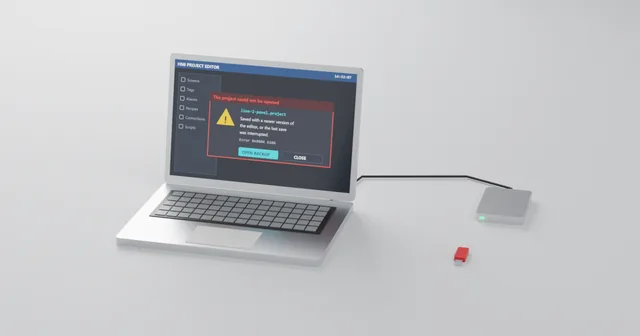
The SIMATIC NC error is the WinCC flexible 2008 converter telling you it cannot carry the CP342 NC communication driver from your OP17 ProTool project into an OP177B target. Deleting the CP342 NC configuration makes the conversion finish, and that is the trap: the converted project then has no working communication path, so every tag, alarm and operator function that ran over that connection is dead, and commissioning fails no matter what you re-add afterwards. The repair is to work the documented Migration from OP17 to OP177B chapter, convert a copy the way that chapter handles the NC connection, restore the connection it defines for the OP177B, and re-verify every dependent object before the machine runs.
What the converter is refusing #
A migration changes a project's engineering format and device target. Commissioning proves the converted application against the real controller and machine. Passing the first does not establish the second, and this error sits entirely in the first stage.
The reported pattern, in the order it unfolds:
- Conversion stops with an error naming SIMATIC NC whenever the project contains the station configured with CP342 NC.
- Deleting the CP342 NC configuration in ProTool before converting lets the conversion finish.
- Re-adding a connection in WinCC flexible afterwards does not restore operation; commissioning still fails.
- Updating the SINUMERIK patch leaves the error unchanged.
Only the deletion 'works', and it works by removing the thing the rest of the application depends on. Keep the full conversion report from every attempt: the exact wording separates a driver restriction from a missing software component or an invalid migrated object, and the short label SIMATIC NC is not enough to tell them apart.
What deleting the connection removes #
A communication driver implements the protocol and addressing between the panel and the connected equipment. A tag is a process variable whose connection and address tell that driver where to read and write. An OP17 project file (*.pdb) therefore carries two things: the screens you can see, and the connection configuration that gives every address on those screens meaning.
Deleting CP342 NC removes the converter's obstacle and the application's process-data path in the same stroke. The converted project still opens, still compiles and still renders screens; a rendered screen proves nothing about the data path behind it. Recreating a same-named connection after the fact restores an entry, not equivalence: the replacement has to match the driver the target supports, the controller interface, the physical wiring and the way addresses are interpreted. Get any one of those wrong and the panel looks finished while every live value stays dead.
Keep the original project and work from a copy #
Leave the *.pdb untouched and record the working source configuration before another conversion attempt: the driver, the interface settings, the station addressing and what the connection actually talks to in your installation. That record is the reference for every setting you restore later. The same rule governs any panel swap — recover the project before converting, as covered in recover the project before converting.
Convert a copy, never the retained original, and save the complete conversion output from every attempt. After each attempt, compare the converted connections and tag assignments against the retained project. The stage is done when you have a documented path from the OP17 to the connected equipment and a failing attempt that names its object instead of corrupting your only reference.
Use the documented chapter, not a patch #
The documented route is the Migration from OP17 to OP177B chapter of the SIMATIC HMI WinCC flexible 2008 Migration manual, entry ID 18796902 in the manufacturer's industry support portal. Get the manual and the engineering software from the manufacturer or an authorized distributor, never from a copy of unknown origin.
The chapter is organized around exactly what breaks in this migration: Basic Principles, Screens, Tags and area pointers, System functions, events, and PLC jobs, and the Alarm system. Work it in that order against your project.
The patch attempt changed nothing, and that is the expected outcome: apply only the components the chapter calls for. Before the next attempt, run the engineering-software check you would run before any panel replacement; checking HMI engineering software before a panel replacement lists what to verify.
Restore the connection and re-bind every dependent object #
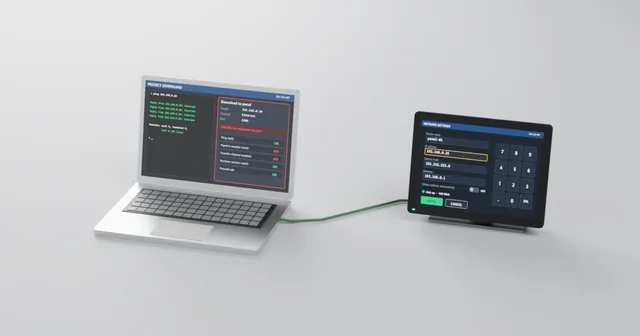
Configure the target connection the way the chapter defines for the OP177B: the driver the target supports for that controller, with interface and station settings taken from your recorded source configuration, then compared against the actual wiring and the controller-side settings. If the chapter does not cover the NC connection for your target, do not substitute a generic driver just to make the error disappear — take the original project and the full message text to the manufacturer's support portal and get the documented treatment.
With the connection in place, walk the chapter's object areas and re-bind everything that referenced the deleted one:
- Tags and area pointers: every tag's connection, address and data type, taken from the retained project's addresses rather than reconstructed from screen captions.
- Alarm system: alarms that arrived over the connection, with their texts.
- System functions, events, and PLC jobs: functions that read or write through the connection.
- Screens: objects that reference the re-bound tags.
Connection-dependent alarms and operator inputs fail as quietly as displayed values do, so re-bind them together with the tags.
Worked example: one CP342 NC station converted after deletion #
Inputs, from the reported installation and the chapter's section list:
- Source application: one OP17 project (*.pdb) with one station configured on CP342 NC — connections the application needs: 1.
- Conversion performed after deleting the CP342 NC configuration — connections carried into the converted project: 0.
- Chapter object areas that can hold references to a connection: 4 (Screens; Tags and area pointers; System functions, events, and PLC jobs; Alarm system).
Rule in words: the project may go to the machine only when its working-connection count equals the source count and every object area that referenced the connection has been re-verified against the restored one.
Arithmetic: connections to restore = source connections − connections carried through = 1 − 0 = 1 connection missing. Areas to re-verify = 4. Bench gate: connections restored (0) is less than the required count, so the project is not commissionable.
Result: the deleted-connection conversion stands at 0 of 1 connections restored and 0 of 4 areas verified.
Decision: hold commissioning. Re-run the conversion under the chapter's route, restore the missing connection and re-verify every object area. The threshold that releases the project to the machine is 1 of 1 connections and 4 of 4 areas.
Bench checks before the machine runs #
Test on the bench, or with the machine in a defined state, using test tags you added for the purpose:
- Transfer the corrected project and confirm the panel's connection status shows the target link active.
- Read first: confirm live values arrive and change with the controller.
- Write once: trigger one operator function on a harmless test tag and confirm the value changes at the controller.
- Force one controller alarm and confirm it arrives with the expected text.
- Compare each re-bound address against the retained project, not the screen captions.
Keep the machine in a state where an unexpected write or a missing value cannot move anything until these checks pass — an HMI with a half-restored data path hides real machine states from the operator.
The decision for each case #
- Conversion refuses with SIMATIC NC and CP342 NC is configured: do not delete-and-convert a production project. Work the chapter's route on a copy; if it does not cover the NC connection for your target, get the documented treatment from the manufacturer's support portal with the original project and the full message.
- Already converted after deletion and commissioning fails: that is the expected result, not a new fault. Treat the file as an intermediate artifact, restore the connection the chapter defines, re-bind every dependent object and pass the bench checks before the machine runs.
- Patch updated and the error is unchanged: stop patching, check the installed engineering software against the chapter and follow the driver route.
For a step-by-step view of the failure paths in this same migration, the OP17 to OP177B migration troubleshooting guide pairs each error with its fix.
Questions asked
Why did the SINUMERIK patch not clear the SIMATIC NC error?
Because a patch the migration chapter does not call for changes nothing the converter validates. The obstacle is the CP342 NC driver configuration inside the project, not a missing software update. Compare what is installed on the engineering station against the components the Migration from OP17 to OP177B chapter requires, and if nothing is missing, treat the error as the driver restriction itself and follow the documented treatment of the connection.
Can I keep running the OP17 while I repair the migration?
Yes, and you should. Leave the original terminal in service and the ProTool project untouched until the OP177B project has passed every bench check. The retained project file is the only exact record of the working driver, interface and addressing, and the running OP17 is the reference for what each screen, alarm and operator function is supposed to do. Convert copies only and archive the report from every attempt.
What should a support request about this error include?
Send five things: the original ProTool project file, the full conversion report with the exact SIMATIC NC wording, the WinCC flexible 2008 version and service pack installed on the engineering station, the OP177B identification read from the device, and a note of the patch you already tried. With those the vendor can say whether the documented chapter covers the CP342 NC connection for your target or the installation needs a different communication arrangement. Use the manufacturer's support portal or an authorized distributor.
Why do the converted screens look fine while nothing works?
Because the two halves of the project come from different places. Graphics, static text and screen navigation live in the project file and render on any bench. Process values, alarm arrivals, operator writes and event-driven PLC jobs live at the controller and reach the panel only through the connection. With the CP342 NC configuration deleted, the first half is intact and the second half has no path, so a panel that looks finished is carrying no machine data.