Explainer
Why WinCC cannot switch PLC connection IP at runtime
Short answer
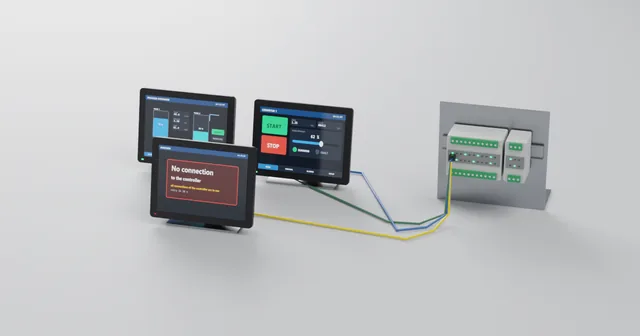
No WinCC edition exposes a script function that re-points a configured PLC connection to a new IP while the runtime runs. Engineer the switchover into the project: software redundancy in the S7-300 pair with WinCC following the master status, a tag-prefix switch between two tag sets, or a preconfigured alternative connection whose recovery interval you measure on the bench.
On this page
A WinCC Professional project with a master and a standby S7-300 cannot switch its PLC connection IP at runtime: no WinCC edition exposes a documented script function that changes the endpoint of a configured controller connection while the runtime is running. An internal HMI tag can record the operator's switchover request, but nothing in the supported scripting surface turns that request into a new address. The switchover therefore has to be engineered into the project in advance, in one of three shapes: software redundancy in the CPU pair with WinCC following the master/standby status, a tag prefix that moves a screen between two preconfigured tag sets, or a preconfigured alternative connection whose recovery interval you measure on the bench. Which of the three fits depends on how many seconds of stale display your process tolerates.
Why the runtime will not re-point a configured connection #
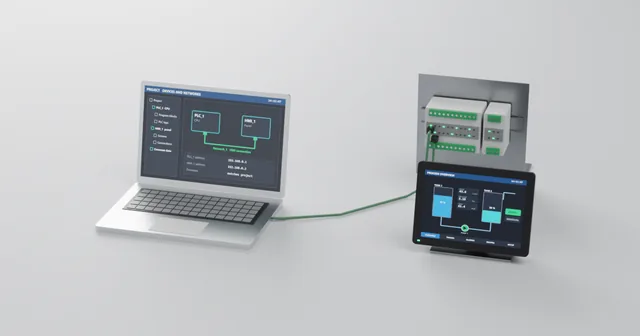
A WinCC connection to an S7-300 is project configuration. The channel type, the connection name and the destination IP are set in the engineering tool and compiled into the runtime project; tags are then bound to that connection. Scripts read and write tags, and the documented scripting surface has no call that opens the connection's configuration record and edits its address — not in WinCC Professional and not in the other WinCC editions either.
One documented runtime function comes close: the WinCC documentation for Basic Panels, Panels, Comfort Panels, RT Advanced and RT Professional describes setting up the switch-on/switch-off of a connection in runtime. Switching a connection on or off activates or stops a connection that is already configured; the endpoint it reaches is fixed by the project. Nothing in that procedure hands a connection a new address — the same limit the scripting surface has. Changing the address of the PC's own Ethernet interface is a different task entirely and leaves every connection definition in the project untouched.
So the internal tag the operator activates can only ever be a request. Something pre-engineered — a second connection, a second tag set or redundancy logic in the CPUs — has to be waiting to consume it.
Three designs that stand in for the IP switch #
All three keep both endpoints in the project from the start. They differ in who performs the switch and how long the display stays blind.
Software redundancy in the CPU pair, with WinCC following #
Siemens documents software redundancy for SIMATIC S7-300/S7-400 in a configuration manual (support entry ID 1137637): two CPUs run a redundancy program, and on a failure they change their master/standby status while the distributed I/O changes its active side — the standby station must be able to reach the ET 200M I/O of both stations. The switchover is executed by the CPUs, so nothing at the HMI ever edits an address: WinCC keeps its connections as configured and follows the changeover through the tags and scripts the manual specifies.
The WinCC side is laid out in the WinCC V7.5 "Configurations and Communication" system manual, document number A5E45519419-AA, section 6.11.5.4 "Software Redundancy" (page 418 in that printing). Before building on it in a TIA Portal project, confirm that the documentation set for your installed WinCC Professional release carries the same mechanism — a classic WinCC V7 chapter does not transfer automatically.
Preconfiguring both stations as separate connections in one project follows the same pattern as connecting multiple S7-300 PLCs to WinCC stations. Keep both CPUs on one subnet and add the standby as a second connection there; a second Ethernet port on the HMI does not route PC Runtime to the PLC, so an extra port is not the failover mechanism.
A tag prefix between two preconfigured tag sets #
Every HMI tag can carry a prefix, and a screen or picture window can be set to prepend its prefix to the tag names its objects address. That mechanism, intended for dynamic screens where several objects reference the same pattern such as identical motors, also serves a master/standby pair: define two connections, two tag sets and two prefixes, and the same screen reads from whichever set it is opened with.
Know what it changes and what it does not. It re-references tags; it does not touch any connection's IP address, and nothing moves in the process link. Values are not handed over between the sets at the switch, so it suits two CPUs that both keep running — identical lines the operator chooses between — rather than a failover in which the standby silently takes over a live process.
A preconfigured alternative connection #
Field reports describe a third path: define an alternative connection with the standby PLC's address, so that when the connection to the master drops, the runtime re-establishes communication to the alternative endpoint on its own. Reports put that recovery at about 30 to 60 seconds after the main connection disconnects.
Two checks before you rely on it. First, the reports do not pin the feature to an edition or to a named dialog field, so confirm in the manual for your exact installed version that the connection settings offer an alternative endpoint, and note what triggers the takeover. Second, understand why this does not contradict the missing script function: both addresses are in the project before runtime starts, so the runtime only ever switches between endpoints it was given — it is never handed a new one.
Worked example: blind time against recovery time #
Example inputs, chosen to show the arithmetic. A tank level climbs toward an overflow limit set 0.5 m above the point the operator watches, at a rise rate of 2.5 cm/s. The tolerable blind time is the distance to the limit divided by the rise rate:
0.5 m = 50 cm, and 50 cm / 2.5 cm/s = 20 s
The reported recovery of the alternative connection spans 30 s at best and 60 s at worst, so even the best case exceeds the 20 s limit. For this process the alternative connection alone is not a valid switchover design: build software redundancy so the CPUs execute the handover and the station follows the status tags, then measure the HMI gap that design produces on the bench.
Run the same test on a slower watch — the same tank tracked for gradual drift at 0.4 cm/s:
50 cm / 0.4 cm/s = 125 s
The reported recovery interval now fits, leaving 65 s of margin even at its worst case, so the alternative connection is acceptable for this display once its measured recovery plus one tag refresh cycle stays below 125 s.
Compare the three designs #
| Design | What switches at runtime | What never changes | Recovery time | Best fit |
|---|---|---|---|---|
| Software redundancy | CPU master/standby status and the active I/O side | Both connection addresses in the WinCC project | Determined by the CPUs' redundancy program; measure on the bench | Master/standby pair guarding a tight limit |
| Tag prefix | Which preconfigured tag set the screen addresses | Both connection addresses | Takes effect when the screen opens with the other set; values are not carried over | Two live CPUs the operator switches between |
| Alternative connection | The runtime reconnects to the preconfigured alternative endpoint | The alternative address entered in the project | Reported 30–60 s after link loss; measure before sign-off | Slow process that tolerates a gap in the tens of seconds |
Prove the switchover on the bench #
Run the acceptance test on an isolated bench with test tags whose behavior you have verified. Put a continuously incrementing counter in each S7-300 so a frozen display is distinguishable from a live one. Power down the master CPU and timestamp two moments: the last update the display shows from the master and the first update that clearly comes from the standby — the counter values identify the source.
Measure the two halves separately: how long the runtime takes to declare the master connection failed, and how long from that declaration until the first standby update arrives. Let a final counter value confirm catch-up with no silent gaps, and issue a write just before the break to confirm the project handles it deliberately rather than dropping it. Restart the runtime once and confirm it comes back on whichever endpoint is master at that moment. Record the worst recovery across repeated runs and hold it against the blind-time limit from the worked example.
The same discipline applies as when you prove a PC-based HMI before replacing panel terminals.
The decision for each case #
- The display guards a tight limit and the process cannot sit blind for tens of seconds: build software redundancy in the S7-300 pair per the configuration manual cited above and section 6.11.5.4, with WinCC following the master/standby tags. No address moves at runtime — that is the design.
- The display watches a slow process and a gap measured in tens of seconds is tolerable: preconfigure the alternative connection to the standby address, confirm the setting exists in your installed version's manual, then sign off on the recovery you measure on the bench, never on the reported figure.
- Both CPUs stay online and the operator only chooses which machine to view: use the tag-prefix screen design with two preconfigured tag sets.
- The plan rests on an operator tag that rewrites a connection address: drop it. There is no documented function behind such a request, and it does nothing at runtime.
A switchover design is an availability feature, not a safety function: every stop and alarm that protects people must execute in the PLCs and field devices regardless of which endpoint the station happens to read.
Questions asked
What does the tag prefix actually switch?
It re-references the tags that a screen or picture window addresses: opened with the other prefix, the same screen reads and writes a second preconfigured tag set aimed at the standby PLC. Both connections must already exist in the project, values in progress are not copied between the sets at the switch, and any operator write goes to whichever set the screen currently addresses. It is a selection of reading path, not a failover of the process link.
What sets the changeover time when software redundancy is used?
The CPUs run the redundancy program themselves: they detect the fault, promote the standby and move the active side of the distributed I/O on their own timing, and WinCC only follows that status through its configured connections, tags and scripts. The HMI gap is therefore the PLC changeover time plus tag refresh. Measure both halves on the bench with the timestamp method in this article rather than assuming either one.
How long does the alternative connection take to take over?
Reports put the takeover at roughly 30 to 60 seconds after the connection to the master drops, because the runtime first declares that connection failed through its own monitoring and only then opens the alternative endpoint. Treat the figure as a report, not a specification: measure the installed version on the bench and hold the measured recovery plus one tag refresh cycle against the process blind-time limit before sign-off.