Troubleshooting
Why a TP177A Runs Slowly After a WinCC Flexible 2008 Transfer
Short answer
A TP177A that slows down only after a WinCC flexible 2008 transfer has one of three causes: the panel image never got the OS update the 2008 build demands at first transfer, the engineering station lacks the latest 2008 service pack and its cumulative update, or the MPI or PROFIBUS segment runs at a rate and length the 2008 polling exposes. Run the OS update, install the newest pack, then set the highest baud rate the cable length and every node allow.
On this page
A TP177A that turns slow only after its project moves to WinCC flexible 2008 — while the same backup still runs normally on a panel fed from WinCC flexible 2007 — has three candidate causes, and they go in this order: the panel image is older than the build now downloading to it, the engineering station lacks the service pack and cumulative update the 2008 line accumulated, or the MPI or PROFIBUS segment runs at a rate and length that the 2008 runtime's heavier polling turns into visible lag. Run the OS update first, bring the engineering station to the newest service pack second, then measure the bus. Only when both are current does the segment itself become the suspect, and the fix there is the highest baud rate the cable length and every node on it allow.
Triage the lag in this order #
The symptom is specific: one backup, loaded to two TP177A panels, runs quickly on the panel fed from WinCC flexible 2007 and drags on the panel fed from 2008, with screen changes and button responses the visible part. Because the project, the panel model and the PLC program are identical, work down this list:
- Image against build. A project converted from WinCC flexible 2007 to 2008 demands an OS update at the first transfer. A 2008-era project executing on a 2007-era image is the classic version of this fault.
- Engineering build. The 2008 line accumulated service packs and cumulative updates after release, and the early builds carried device-specific fixes for the 177 family — the SP1-era hotfix names the TP 177A, TP 177B and OP 177B together. The cure shipped in that update chain, not in the project.
- The segment. A low rate, an over-length run or a missing terminator forces bus retries that show up as tag lag. A runtime change is what surfaces it: the poller that felt fast under 2007 feels slow under 2008 on the same wire.
- One screen only. If a single screen is slow and the rest behave, the transfer and the bus are fine. That screen's tag and alarm load is the suspect, and the fix is trimming it.
Two scoping notes before you start. A faulty DCF file is a documented cause of screen changes stretching to seconds, but the documentation places it in WinCC V7 PC runtime, not in the TP177A's panel OS, so it is not a cause to chase on this panel. And a panel that never reaches runtime at all has a boot fault, not lag — the sequence in why a TP177A shows a light blue screen on power-up covers that case.
Run the OS update the 2008 transfer demands #
When a project last saved in WinCC flexible 2007 is opened, compiled and transferred from the 2008 station, the engineering tool demands the panel's OS update at the first transfer. Do not skip it and do not judge the panel before it runs: a 2008-built project executing on a 2007-era image is the most common form of this lag, and the update is the documented fix.
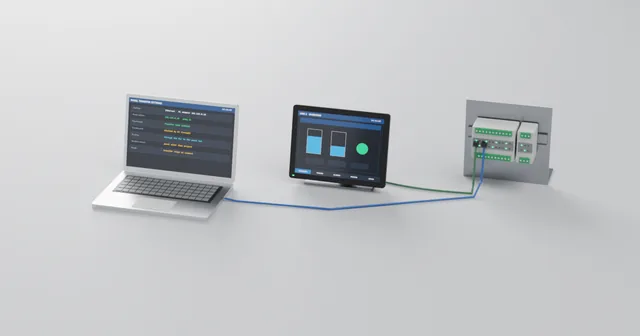
In WinCC flexible, open the Project > Transfer menu and select OS Update, connect the engineering PC to the panel over the transfer cable you normally use, confirm the TP177A as the target, and let the image flash through. The panel restarts when the update finishes; transfer the compiled project again afterwards.
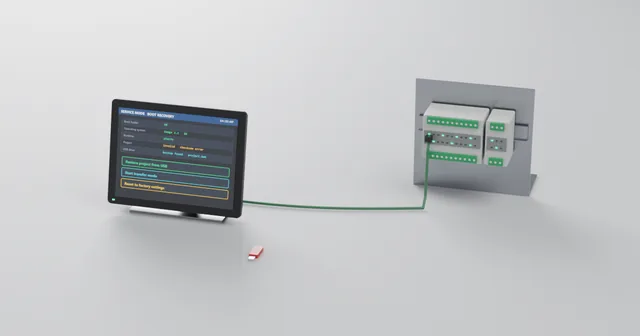
One safety note: the update rewrites the panel's flash, so a power cut partway leaves the panel on an incomplete image that will not start normally. Run it on a stable supply and let it finish. A panel frozen on startup after an interrupted transfer follows the recovery sequence documented for the MP377: MP377 frozen startup screen recovery after an interrupted transfer.
If the OS update is already done and the lag survived it, cross this item off and move to the engineering build.
Put the engineering station on the newest 2008 build #
Service Pack 2 for WinCC flexible 2008 was the current pack when this fault surfaced, and the line ran on beyond it to Service Pack 5. The updates are cumulative — each newest update contains all previous ones — and security fixes are included only in the latest update, so there is nothing gained by stopping at an intermediate pack. Install the newest service pack and its newest cumulative update from the vendor's support portal, then compile, transfer again, and do the OS update the new build demands.
Keep the comparison clean while you test: one panel fully current on the 2008 station, against the reference panel still fed from 2007, running the same backup. If the 2008-current station still downloads a project that drags while 2007 runs it quickly, the image and the build are settled and the segment is the remaining suspect.
Measure the MPI or PROFIBUS segment before raising the rate #
Start with the physical question the distance decides: how long is the cable between the PLC and the panel? Then work the layer:
- Termination. Active termination belongs at the segment's two physical ends only — the terminating resistor switched on in the end connectors, off at every mid-run node. A missing end terminator forces retries the panel shows as lag on every screen.
- Addresses. Every node on the segment carries its own address; two devices sharing one produce intermittent faults that never time consistently.
- Rate matching. The panel's connection settings and the PLC's interface configuration must carry the same rate. Set the highest rate every node on the segment supports and the cable length allows; the length arithmetic is the worked example below.
On a PPI link to an S7-200 the same two settings decide success, which is the pattern in why a WinCC flexible PPI link fails on baud rate and address. Two failure signatures tell you whether the rate is the lever here. If raising the rate breaks the transfer itself, you have hit the mismatch pattern covered in why an OP77B project transfer fails over PROFIBUS. If tag updates lag steadily without transfer faults, the segment runs within its limits but slow, and the rate is the lever — the same physical-layer logic that explains why WinCC tag updates run slow on an IM 151-7 PROFIBUS link.
Checking a 250 m segment before you raise the rate #
This is the case the triage ends with: panel and PLC on one MPI/PROFIBUS segment, software fully current, deciding whether the rate can go up.
Inputs:
- Cable distance, PLC to panel: 250 m along the cable path — an example value; measure yours, because it is the first number worth having on a lagging panel.
- Current rate: the migration default of 187.5 kbps.
- Segment length limits per rate, from the PROFIBUS installation guidelines: 1000 m at 187.5 kbps, 200 m at 1.5 Mbps, 100 m at 12 Mbps, with 3 and 6 Mbps sharing the 100 m limit.
Rule: a segment carries its rate only as far as that rate's limit, and raising the rate shrinks the limit. The end-to-end length must fit the new limit, or repeaters must split it into segments that each fit.
Arithmetic:
- At the current rate, 250 m sits against a 1000 m limit — inside it with 750 m of margin. The cable is not why this panel is slow on this setting.
- Against the 1.5 Mbps limit of 200 m the run is too long as one segment: 250 / 200 = 1.25, so two segments and one repeater, and a midpoint split leaves 125 m on each side with margin below the limit.
- For 12 Mbps the limit is 100 m: 250 / 100 = 2.5, so three segments and two repeaters to cover the run.
Result: at 250 m the segment is legal at the current rate, needs one repeater for 1.5 Mbps and two for 12 Mbps.
Decision: on this cable, a higher rate buys response time only with the repeaters included — fit one repeater near the midpoint and set 1.5 Mbps, or stay at the current rate and treat the speed setting as settled. On a run of 100 m or less, 12 Mbps fits without repeaters and is the choice when every node supports it.
The decision for each case #
- OS update pending or skipped: run Project > Transfer > OS Update, re-transfer the project, re-test. This settles most first-time conversions of a 2007 project to the 2008 station.
- OS update done, station below the newest pack: install the newest WinCC flexible 2008 service pack with its newest cumulative update, re-compile, re-transfer, re-test. Base 2008 and first-service-pack installs are the ones to retire.
- Both current and the lag persists: measure the segment — length, termination at the two ends and nowhere else, unique addresses — then set the highest rate the length and every node allow, adding the repeaters the worked example computes.
- One screen slow, the rest fine: leave the transfer and the bus alone and trim that screen's tag and alarm load.
Questions asked
Does the OS update also apply when the project was created in WinCC flexible 2008 from the start?
No. The update is demanded when a panel carrying an older image receives a newer build's project, typically a 2007-built project moved to 2008. A panel that has only ever been fed by the same 2008 installation already carries the matching image, so a slowness there points at the segment or at one screen's tag load instead.
What does the reorganize command in WinCC flexible change?
It compacts the project database on the engineering station, which can shorten compile time and transfer size. It does not change how the panel runtime polls tags or draws screens, so it will not remove a version-specific lag. Treat it as housekeeping before a transfer, not as a fix for this symptom.
Do TP177B and OP177B panels need the same treatment?
Yes. The same order applies: OS update at the first transfer from an older build, then the newest service pack and cumulative update, then the segment check. The 2008 update line covered all three 177-family devices together, and their screens lag the same way when the image and the engineering build drift apart.
How do I confirm the image actually changed after the OS update?
Read the image version from the panel's loader or Control Panel before and after the update and compare the two readings; the result must match the image delivered with your WinCC flexible service pack. If the panel freezes on startup after an interrupted attempt, the image is incomplete and the update has to be repeated.