Troubleshooting
Why WinCC WebNavigator shows no alarms on Windows 10
Short answer
Pictures with no alarms on a WebNavigator client point at the client installation, not the server: the V7.4 + Upd2 client on Windows 10 1903 was an unreleased pairing and its setup had failed on .vbs script files. Rebuilding the machine with WebNavigator 7.5 Update 3 plus the matching BPC and APC packages restored the alarms. Check the Windows release, the SIMATIC SCS component and the 32-bit Internet Explorer requirement in that order.
On this page
- Why do the process pictures load while the alarm list stays empty?
- Which Windows 10 version is released for this client generation?
- What do the missing .vbs messages and the empty folder mean?
- How do you check SIMATIC SCS, and why can it break the client?
- Does the WebNavigator client need 32-bit Internet Explorer?
- Which packages restore the missing alarms?
- Questions asked
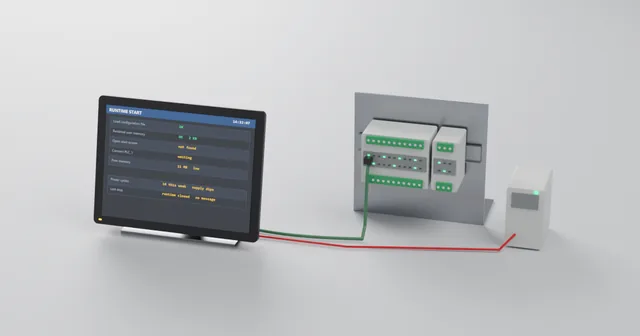
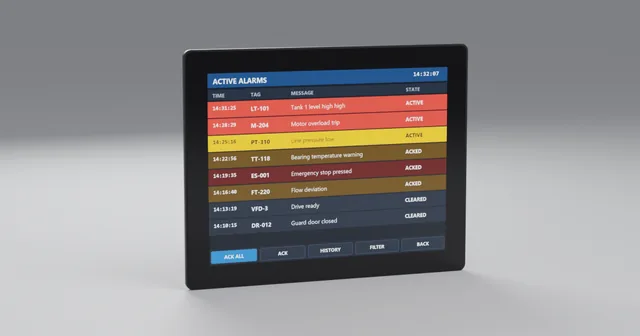
A WebNavigator client that draws process pictures but never shows an alarm is a client-side installation fault, not a server fault: the web delivery path works, and what is missing sits on the PC. In the reported case the client was WebNavigator V7.4 + Upd2, build V07.04.00.02_01.01.00.36, on Windows 10 Pro version 1903, build 18362.116 — a pairing no WebNavigator release of that generation was released for — and the setup had already stopped with messages about missing .vbs files, leaving their target folder empty. Rebuilding the machine with WebNavigator 7.5 Update 3 and the matching BPC and APC packages brought the alarms back. Work through the checks below in order before anyone changes the server.
Why do the process pictures load while the alarm list stays empty? #
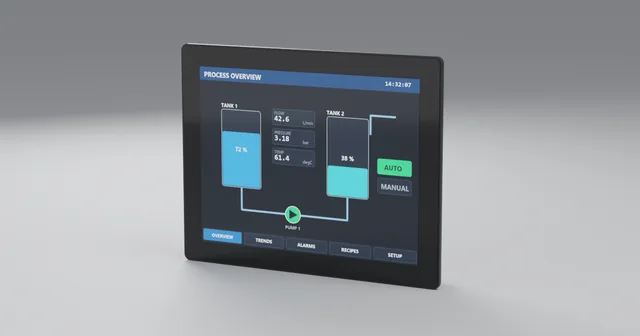
A picture that loads proves only that the connection, the web delivery and the screen rendering work; the alarm display depends on further client components — process-control plug-ins and the script files a broken setup never copied — so alarms can fail while the graphics look normal. A WebNavigator client is a base program plus plug-ins, among them Basic Process Control (BPC) and Advanced Process Control (APC), plus scripts that deliver project functions such as alarm pages. In the reported case the BPC plug-in was already in the installed-programs list and the alarms still stayed away, so the fault sat deeper than a missing plug-in.
Do not confuse this with screens that load but show exclamation marks instead of live values every day; that is a different fault, covered in Why WinCC WebNavigator screens show exclamation marks daily.
Run this comparison before changing any software:
- Open the same alarm display on the affected client and on a working colleague's client, with equivalent user rights. Expected: the working client shows alarm content while the affected one reproduces the blank list.
- Confirm the real Windows release with
winverand compare it with any diagnostic export. Expected: one consistent value. - Ask who else is affected. In the reported project six colleagues shared one server across mixed Windows versions and only one other client failed — a server-side fault would have hit all six.
Record the baseline while it is still broken:
| Recorded item | Value on the reported machine | Why it matters |
|---|---|---|
| Client package | WebNavigator V7.4 + Upd2, build V07.04.00.02_01.01.00.36 | identifies the media and update line to replace |
| Operating system | Windows 10 Pro version 1903, build 18362.116 | one feature release newer than the released ceiling |
| Browser | Internet Explorer 11.116.18362.0 | record the edition, 32 or 64 bit, not only the version |
| Second OS value in the export | 6.3.9600.0 | a compatibility value, not a second operating system |
That second value is what Windows reports to programs that do not declare Windows 10 support, so treat it as a reporting artifact and let winver decide. One safety note: until the repair is done, that client is blind as an operator view, and a missing alarm list is not a missing alarm, so do not leave anyone watching the process on it.
Which Windows 10 version is released for this client generation? #
Windows 10 version 1903 was not released for any WinCC or WebNavigator release of that generation; the newest released version was 1809, and that entry required WinCC V7.4 SP1 with Update 9 or newer, or the V7.5 line. Released means the combination appears in the manufacturer's compatibility information for exactly that client, that server and that operating-system build. A combination that merely starts is not released, and a laptop that happens to run does not change the list. Later V7.5 service packs and updates widened the operating-system list; the original client line did not get that treatment.
Commit to one of two moves. Keep the old client line only on version 1809 or older, at the service pack and update level that entry demands — or move the machine to the V7.5 family. The reported machine took the second move, and it is the right default for any PC you cannot downgrade.
What do the missing .vbs messages and the empty folder mean? #
They mean the setup did not finish: the installer could not write script files the client needs, so the functions built on them — the alarm display included — were never installed, even though enough of the client survived to draw pictures. Treat the installer output as the primary evidence and redo the installation properly:
- Sign in as administrator and rerun the setup from the beginning.
- Note every missing-file message with its full path before dismissing it; the path tells you which installation stage failed.
- Ask IT to check the endpoint-security events for blocked or quarantined files and have the installation path approved — do not switch protection off to get through.
- Accept the run only when it completes without file errors and the previously empty folder holds the script files, then test the alarm display before calling the client fixed.
How do you check SIMATIC SCS, and why can it break the client? #
The WebNavigator client of that generation depends on the shared component SIMATIC SCS K7.4.2.6; a TIA Portal V15 installation puts a newer SCS on the PC, and a client setup can replace single SCS files without running the complete SCS setup, leaving a mixed set. SCS is one component shared across SIMATIC products, so the last product installed decides which files are present. The documented failure mode of a mixed SCS set is a client that cannot connect at all — on the reported machine SCS was a suspect on that branch, while the missing alarms were cured by the version rebuild.
- Open the installed-software information from the SIMATIC Manager help menu and read the Components list for the SIMATIC SCS version. Expected: the entry matches the level the client needs.
- If a TIA Portal export shows no SCS entry at all, record the absence as a finding; it is not proof the component is correct.
- Field workaround for a wrong or missing SCS: install WinCC V7.4 itself on the machine, even though the client does not need it, because that setup installs the matching SCS. Request the media through IT's normal software process.
- Repair SCS before reinstalling the client, or the client setup can strip the files again.
A client that cannot connect at all is a different fault from one that connects and shows no alarms: fix SCS first, and if the PC also carries a Wi-Fi adapter holding an address in the server's subnet, read Why a PC Fails to Reach an HMI When Wi-Fi Owns Its Address.
Does the WebNavigator client need 32-bit Internet Explorer? #
Yes: WinCC was system-tested and released only with the 32-bit Internet Explorer, so the client has to be installed and opened from that edition even on a 64-bit PC. On such a machine both browser editions are normally present; the 32-bit one lives under C:\Program Files (x86)\Internet Explorer, and the 64-bit edition names its architecture in its info box, so if you see it there, close that window and use the other edition.
Reinstall in the field-proven order:
- Remove the client and let the WebConfigurator run again on the server.
- Connect with the 32-bit browser and install the client from the server's page.
- Check the browser security settings the WinCC help documents: Tools > Internet Options, Security tab, for the zone the server address falls in — Local Intranet or Internet.
Which packages restore the missing alarms? #
WebNavigator 7.5 Update 3 with its matching BPC and APC packages is the set that restored full alarm display in the reported case, and it is the set to standardize on for that server generation. Apply the decision to the reported machine, leg by leg:
- Operating-system leg: installed version 1903 against a released ceiling of 1809 — one feature release too new, so the leg fails.
- Client leg: the installed client is V7.4 + Upd2 while the released entry demands the service pack with Update 9 or newer — the installed level predates even the service pack, so this leg fails too.
- Two failed legs mean no reinstall of the same media can succeed; the rebuild on the newer family is the only move, and it is the one that worked.
Then rebuild in this order:
- Ask the server administrator for the server's WinCC release, service pack and update level; the client set must form a released pairing with what the server actually runs.
- Record the baseline — client package, Windows release, browser edition, SCS version — then uninstall the old client and its plug-ins.
- Repair SIMATIC SCS if the Components list shows a wrong or missing level.
- Signed in as administrator, install WebNavigator 7.5 Update 3 and then the BPC and APC packages shipped with that release; never carry the old plug-ins into the new client.
- Let the WebConfigurator run again on the server, then install or start the client from the 32-bit Internet Explorer.
- Pass the test: with the same user rights, the same alarm display shows live alarms on the rebuilt client while an untouched colleague's client keeps working.
Decide per machine:
- A PC you can downgrade: keep the old client line at the service pack and update level the newest released entry demands.
- A PC that stays on the newer Windows release: move it to the V7.5 family or later; the field-proven set is 7.5 Update 3 with its matching plug-ins.
- Alarms still blank on a correct pairing with the BPC plug-in listed as installed: the installation is incomplete or the plug-ins are mixed, so rebuild the whole set instead of patching one component.
Questions asked
A colleague runs the same client on Windows 10 1903 without problems. Does that make the combination safe?
No. A machine that happens to work is not a released pairing, and copying its software list does not transfer the result, because two laptops differ in their local component set: plug-in levels, the SIMATIC SCS version and the browser edition. Treat the working colleague as a comparison bench for testing, not as proof, and rebuild the failing machine on a released set.
Why did having the Basic Process Control plug-in installed not save the alarms?
Because an entry in the installed-programs list is only one part of a working plug-in: it must also match the client release and finish its registration during a complete setup. On that machine the client generation itself was wrong, so the repair changed the client, the Basic Process Control plug-in and the Advanced Process Control plug-in together as one aligned set instead of patching a single component.
Where does the WebNavigator client record its reconnect attempts?
The V8.1 documentation describes a diagnostics file named WebNavReconnnect.log that the client saves under the user profile's Application Data folder after installation. When the first login works but the automatic reconnection fails, read that file and test the reconnect path separately from the initial connection instead of treating both as one fault.
Can the WebNavigator client be installed without administrator rights?
No. The installation documentation states that installing the client under Windows Server with a lower user authorization than Administrator is not possible, and on any system a setup that starts short of those rights can stop halfway and leave exactly the half-installed state that draws pictures but no alarms. Sign in with an administrator account before running the setup.