Troubleshooting
Why WinCC Runtime Advanced simulation adds a DE keyboard layout
Short answer
WinCC Runtime Advanced simulation adds DE to the Windows language panel when a string-format I/O field takes focus: that is a Windows keyboard-layout addition triggered by the runtime's input handling, not an enabled runtime language. Record Runtime settings > Language & fonts separately from the Windows panel, reproduce the trigger, remove the layout through Windows input settings and verify it stays gone across relaunch and reboot, never by renaming a Windows keyboard resource folder.
On this page
When WinCC Runtime Advanced simulation adds DE to the Windows language panel, a string-format I/O field has triggered a Windows keyboard-layout addition: the runtime's input handling asks Windows for a layout, and Windows installs it. The DE entry is a Windows input setting, not an enabled WinCC runtime language, and it stays in the panel until you remove it or reboot the PC. The decision is in three moves: reproduce the trigger in recorded steps, delete the layout through Windows input settings, and verify it stays gone across a relaunch and a reboot. Never rename a Windows keyboard resource folder to hide it. The reference configuration is the reported one: TIA Portal V15.1 Update 3, with Russian enabled and English not enabled under Runtime settings > Language & fonts.
Why does WinCC Runtime Advanced add a DE keyboard to Windows? #
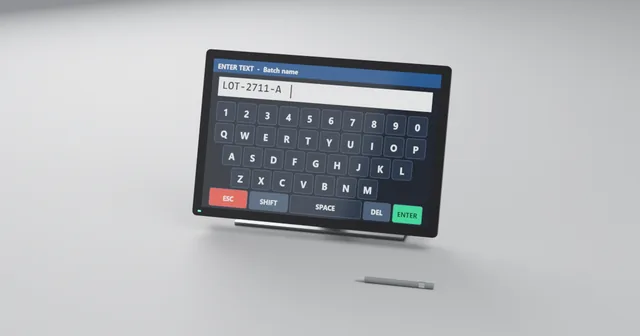
Because selecting a string-format I/O field opens the runtime's screen keyboard, and the input handling that follows requests a keyboard layout from Windows; Windows adds the German layout to its input list, where it remains until it is removed or the PC reboots. Two different mechanisms are easy to confuse here. A runtime language is a project resource language, the same kind of setting that decides which runtime languages WinCC V7.5 supports, and it controls which languages the HMI texts can display. A Windows keyboard layout is an operating-system setting that maps keystrokes to characters. The screen keyboard that string entry opens sits on the Windows text-input side, so what it triggers is a Windows layout addition, visible in the language panel, not a change to the project's language resources. The reported project shows the separation: German was not among its runtime languages at all, yet DE appeared. The vendor does not document why the request resolves to a German layout in that version; what you can verify, clean and retest is the trigger, and that is what the rest of this article does.
Is the DE entry a WinCC runtime language? #
No. The Windows language panel lists input layouts, while WinCC runtime languages are set in the project tree under Runtime settings > Language & fonts; a DE entry in the panel is evidence of a Windows change, not of German being enabled in the project. Record the two lists separately before changing anything. Double-click Runtime settings in the project tree and open the language table: it shows every runtime language of the project with its enabled state and font. Then open the Windows language panel and note every input language and layout it lists. In the reported project the table held two rows, Russian enabled and English not enabled, with no German row, while the panel gained DE only during the session. Write down:
- every language in the runtime language table and its enabled state;
- every input language and layout in the Windows panel before simulation starts;
- your exact TIA Portal version.
The decision from that comparison: if German is absent from your table, leave the runtime languages alone. Enabling or disabling display languages does not control the Windows layout addition, and disabling Russian to make room would only break the operator's language switching. If German is present and enabled, disable it only when the project does not need it, and still clean the Windows layout in Windows, because the project table does not remove it.
When exactly does the DE layout appear? #
In the reported case the panel changed only when an I/O field with String display format took focus, the field used for operator password entry, and it stayed unchanged from simulation start through ordinary screen use. Run the reproduction in offline simulation with test tags, never against a machine in production. Three recorded readings isolate the trigger:
- Baseline: before starting simulation, note the Windows language panel. If DE is already listed, clean it first; otherwise you cannot tell what the session added.
- Simulation start: start the simulation and operate the screens without selecting any string field, then compare the panel with the baseline. No change means the runtime startup alone does not add the layout.
- Field selection: select the I/O field with String display format and compare again. In the reported case the panel went from two languages to three at this point, DE appearing the moment the screen keyboard opened for the password field, and that reading identifies the field-selection interaction as the reproducible trigger.
Close the simulation and read the panel once more. In the reported case DE remained after the session ended and cleared only on reboot; persistence outside the session confirms a Windows setting change, not a runtime-only state. Do not confuse this trigger with a screen keyboard that fails to appear at all from a scripted input dialog: that separate fault is covered in fixing a missing on-screen keyboard from scripted input dialogs.
How do I remove the DE keyboard layout? #
Through Windows input settings: open Start > Settings > Time & language > Language & region, open the affected language's Options page and, under Keyboards, remove the German layout; a reboot also clears it, but removing it in settings proves the cleanup without restarting. This is Microsoft's documented route for managing keyboard layouts, and it removes exactly the one layout and nothing else. After the removal, run step 3 of the reproduction again. If DE stays absent, the one-time addition is cleared and you move to verification. If DE returns at field selection, the cleanup removed the symptom but not the trigger: record that reading, keep the cleanup as your operating practice, and send the trigger to the vendor as the last section sets out.
Should I rename the 10000407 keyboard folder? #
No. Renaming the Windows keyboard resource folder identified as 10000407 so that Windows cannot find the German keyboard is a reported workaround with conflicting outcomes, for some engineers it worked and for others it did not, and it changes operating-system input behavior beyond the HMI. That folder is a Windows language resource, not a WinCC project file. Hiding it changes how Windows provides German keyboard input to every application on the PC, and neither the exact operation nor a reliable result is established in the vendor's documentation. The legitimate path is the one above: remove the layout through Windows settings, verify across relaunch and reboot, and if the trigger still reproduces, escalate through Siemens support with your version and reproduction steps. A renamed system folder cannot be undone by a project change and will confuse the next engineer who services the PC.
How do I verify the fix across a relaunch and reboot? #
Verification passes when DE is absent after the exact field interaction is repeated across a simulation relaunch and again after a Windows reboot; if it comes back, the cleanup only cleared Windows state and the trigger goes to the vendor with your records. Work the sequence in order and log each reading:
- Remove DE in Windows settings and confirm the panel is clean.
- Launch the simulation, select the string-format I/O field and enter the test password; the panel must stay clean.
- Close and relaunch the simulation and repeat the interaction; the panel must stay clean across sessions.
- Reboot Windows and repeat once more. A layout that survives cleanup and reappears at every trigger means the runtime adds it each time the field is used, and that is the case to escalate.
The decision for each case: if DE no longer appears after the cleanup, you are done, and you recheck once after the next TIA Portal update. If it reappears at every trigger, keep the Windows cleanup as routine, send Siemens support the version (V15.1 Update 3 in the reported case), the language table, the field type and the three panel readings, and leave the Windows resource folders untouched.
Questions asked
Does the same trigger add layouts other than German?
The layout that appears follows what the runtime's input handling requests, not German specifically: the same string-field trigger has been reported adding an English (USA) layout on a different project. Run the same three readings against your own panel, record which layout appears, and use the identical cleanup and verification steps.
Can an operator end up typing on the added German layout?
Yes. Once DE sits in the Windows input list, the input switcher can select it, and the screen keyboard then follows German mapping, where Z and Y swap and several special characters move. On a password field that is a real entry-error risk, which is one more reason to remove the layout instead of waiting for the next reboot.
Is the behavior corrected in a newer TIA Portal version?
The reported case is TIA Portal V15.1 Update 3, and no public statement establishes how other versions behave. Test your exact version with the same three readings; if the trigger reproduces, ask Siemens support whether an update addresses it. The reproduction record is what makes a specific answer possible.
Can DE reappear with no WinCC session running?
If DE shows up before any simulation starts, your step-one baseline will catch it, and the trigger is something else on that PC, such as another application's input component, not the WinCC string field. Clear the layout, close the suspect application and repeat the baseline; the WinCC procedure only applies when the panel stays clean until the field selection.